Introduction to Strings: Fundamentals of Programming and Problem Solving
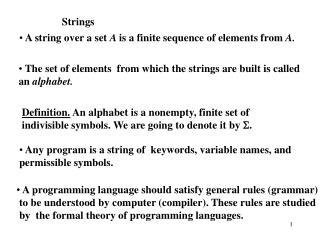
This section provides a comprehensive overview of strings in programming, covering basics such as assignment, comparison, concatenation, and repetition. It explains string literals, escape characters, and accessing strings as lists of characters, including indexing and slicing techniques. Readers will learn how to use loops to process strings and explore the concept of string mutability, highlighting differences between languages that support mutable and immutable strings. Ideal for beginners, this guide equips you with essential string manipulation skills.

Introduction to Strings: Fundamentals of Programming and Problem Solving
E N D
Presentation Transcript
Introduction to Strings CSIS 1595: Fundamentals of Programming and Problem Solving 1
Strings as a Single Value • Basic operators: • Assignment: name = “Fred” name1 = name • Comparison: if name == “Fred” if name1 != “Barney” • Concatenation: fullname = name + “ Flintstone” • Repetition: name3 = name * 3
String Literals • Quotes used to indicate string literal • x is a variable, “x” is a string • 123 is a number, “123”is a string • Can use singlequote ‘ or doublequote “ • x = “Larry” • y = ‘Curley’ • Notz = “Moe’ • Should use one form consistently
Escape Characters • Syntax: \somecharacter • Spacing characters: \t inserts tab \n inserts new line • Inserting quotes into strings without having them treated like beginning/end of string literal: \’ inserts single quote \” inserts doulequote Example: print(“He said \”Hello\””) He said “Hello”
Strings as Lists of Characters • Strings can be broken down into their individual characters • Each character in a string has an index • First index is 0 index
Strings as Lists of Characters • Accessing individual characters:Syntax: stringvariable[index] • Example: greeting = “Hello world!” print(greeting[7]) ‘r’ • Note: Index must be legalprint(greeting[12]) error! • Can use len function to find length of stringlen(greeting) 12 • Note: Highest index = length – 1 since first index is 0
Strings as Lists of Characters • Accessing substring of characters • All characters between startindex and end index • Syntax: stringvar[start:end] • Example: print(greeting[3:7]) ‘lo wor’ • Default syntax: stringvar[start:]– All chars from start to end of string stringvar[:end]– All chars from start of string to end
Strings and Loops • Loops often used to process strings • Loop counter = index in string • Example: Printing all leading substrings of a given word • Strategy: • Use stringvar[:end]to print first end characters • Use for loop to vary end from 1 to length of word • Use len function to find length of word
For Loops and Strings • Special form of for loop for strings • for charvariable in stringvariable: • Each time through loop, charvariableis the next character in stringvariable • Example: • char = “H” • char = “e” • char = “l” • char = “l” • char = “o” • char = “!”
For Loops and Strings • Example: “Exploding” a word by inserting a space between each letter • Strategy: • Use loop to get each letter • Print it followed by a space (instead of a return)
String Mutability • Can index be used to change a string? name = “Larry” name[1] = “o” name now “Lorry” • Legal in languages with mutablestrings • C, C++,… • Not legal in languages with immutablestrings • Python, Java,… • Usually related to efficiency of string representation