Comprehensive Guide to Makefiles
Understand Makefiles, dependencies, rules, and running make using makefiles. Learn about variables, implicit rules, implicit rules, and conditional statements in makefiles. Includes example makefile and useful make options.

Comprehensive Guide to Makefiles
E N D
Presentation Transcript
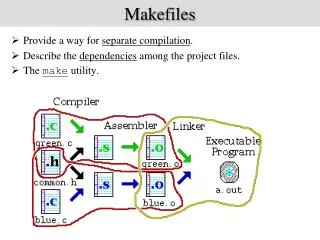
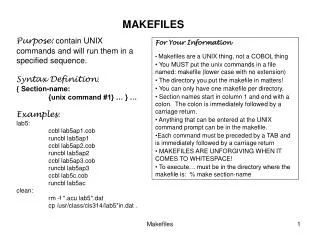
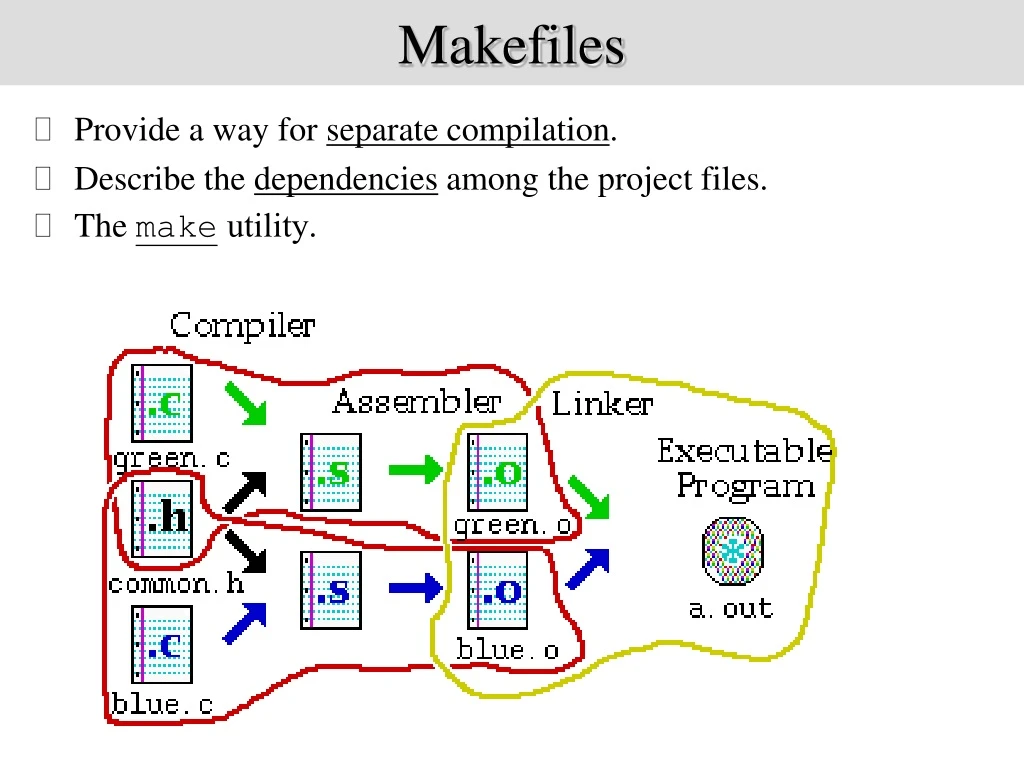
Makefiles • Provide a way for separate compilation. • Describe the dependencies among the project files. • The makeutility.
Using makefiles Naming: • makefile or Makefile are standard • other name can be also used Running make make make –f filename – if the name of your file is not “makefile” or “Makefile” make target_name – if you want to make a target that is not the first one
Sample makefile target : dependencies TAB commands #shell commands • Makefiles main element is called a rule: Example: my_prog : eval.o main.o g++ -o my_prog eval.o main.o eval.o : eval.c eval.h g++ -c eval.c main.o : main.c eval.h g++ -c main.c _________________________ # -o to specify executable file name # -c to compile only (no linking)
Variables C = g++ OBJS = eval.o main.o HDRS = eval.h my_prog : eval.o main.o $(C) -o my_prog $(OBJS) eval.o : eval.c $(C) –c –g eval.c main.o : main.c $(C) –c –g main.c $(OBJS) : $(HDRS) The old way (no variables) A new way (using variables) Defining variables on the command line: Take precedence over variables defined in the makefile. make C=cc my_prog : eval.o main.o g++ -o my_prog eval.o main.o eval.o : eval.c eval.h g++ -c –g eval.c main.o : main.c eval.h g++ -c –g main.c
Implicit rules • Implicit rules are standard ways for making one type of file from another type. • There are numerous rules for making an .o file – from a .c file, a .p file, etc. make applies the first rule it meets. • If you have not defined a rule for a given object file, make will apply an implicit rule for it. Example: Our makefile The way make understands it my_prog : eval.o main.o $(C) -o my_prog $(OBJS) $(OBJS) : $(HEADERS) my_prog : eval.o main.o $(C) -o my_prog $(OBJS) $(OBJS) : $(HEADERS) eval.o : eval.c $(C) -c eval.c main.o : main.c $(C) -c main.c
Defining implicit rules %.o : %.c $(C) -c –g $< C = g++ OBJS = eval.o main.o HDRS = eval.h my_prog : eval.o main.o $(C) -o my_prog $(OBJS) $(OBJS) : $(HDRS) Avoiding implicit rules - empty commands target: ; #Implicit rules will not apply for this target.
Automatic variables target : dependencies TAB commands #shell commands Automatic variables are used to refer to specific part of rule components. eval.o : eval.c eval.h g++ -c eval.c $@ - The name of the target of the rule (eval.o). $< - The name of the first dependency (eval.c). $^ - The names of all the dependencies (eval.c eval.h). $? - The names of all dependencies that are newer than the target
make options make options: -ffilename - when the makefile name is not standard -t - (touch) mark the targets as up to date -q - (question) are the targets up to date, exits with 0 if true -n - print the commands to execute but do not execute them / -t, -q, and -n, cannot be used together / -s - silent mode -k - keep going – compile all the prerequisites even if not able to link them !!
Phony targets Phony targets: Targets that have no dependencies. Used only as names for commands that you want to execute. clean : rm $(OBJS) __________________ To invoke it: make clean Typical phony targets: all – make all the top level targets .PHONY : all all: my_prog1 my_prog2 clean– delete all files that are normally created by make print – print listing of the source files that have changed .PHONY : clean clean: rm $(OBJS) or
VPATH • VPATH variable – defines directories to be searched if a file is not found in the current directory. VPATH = dir : dir … / VPATH = src:../headers / • vpath directive (lower case!) – more selective directory search: vpath pattern directory / vpath %.h headers / • GPATH: GPATH – if you want targets to be stored in the same directory as their dependencies.
Variable modifiers C = g++ OBJS = eval.o main.o SRCS = $(OBJS, .o=.c) #!!! my_prog : $(OBJS) $(C) -g -c $^ %.o : %.c $(C) -g -c S< $(SRCS) : eval.h
Conditionals (directives) Possible conditionals are: if ifeq ifneq ifdef ifndef All of them should be closed with endif. Complex conditionals may use elif and else. Example: libs_for_gcc = -lgnu normal_libs = ifeq ($(CC),gcc) libs=$(libs_for_gcc) #no tabs at the beginning else libs=$(normal_libs) #no tabs at the beginning endif