Robotics Developer Studio and Visual Program Language VPL Yinong Chen
Robotics Developer Studio and Visual Program Language VPL Yinong Chen. Table of Contents. Introduction to Robotics Studio. 1. Activities and Services in VPL. 2. Example 1: Hello World in VPL. 3. Example 2: Creating a loop. 4. Introduction to Robotics Studio. Service Client.

Robotics Developer Studio and Visual Program Language VPL Yinong Chen
E N D
Presentation Transcript
Robotics Developer Studio and Visual Program Language VPLYinong Chen
Table of Contents Introduction to Robotics Studio 1 Activities and Services in VPL 2 Example 1: Hello World in VPL 3 Example 2: Creating a loop 4
Introduction to Robotics Studio Service Client Writing robotic applications in VPL Service Repository Service Broker Writing robotic services in VPL Robotic services in C# or VB Service Provider VPL C# VB Robotics Studio .NetFramework Download Microsoft Robotics Developer Studio 4 http://msdn.microsoft.com/en-us/robotics/aa731520
Applications of Robotics Developer Studio Robosoft Kuka Coroware ASU-Intel-Carl Hayden AutoBot WhiteBoxRobotics NXT Mindstorms Watch it: http://vimeo.com/9740048 Robotics Connection
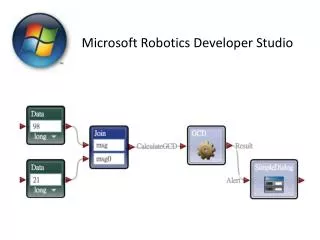
Basic Activities of VPL There are 10 basic activities, and many composite services in VPL Repository • Variable: supports basic types (int, string, boolean, etc) and their arrays ( called list ) • Calculate: Calculate the value of an expression • Data: like the constant values in regular programming language
Basic Activities (cont.) Activity Basic Activity • Construct a composite activity (flowchart) and can be wrapped as a service • Join: proceeds when all threads arrive; Can be used for creating parallel threads. • Merge: proceeds when one of the threads arrives. It can be used for creating a loop; • If: same as regular programming language construct; • Switch: same as regular programming language construct; • List: list of variables; • List of functions; Service Activity
Services as Building Blocks Application Activity Basic Activity • Services are precompiled and deployed functions (activities) • Services can be placed locally or remotely over the internet. • For example: • Services that provide access to robots’ sensors • Simple dialog which accepts a string and shows it in a window • Math functions which can complete complex computations Service Activity
Example 2: Increment a value in a loop in VPL The goal of this VPL program is to • Create a variable and initialize it to 1; • Increment the variable in a loop, and • Voice-output the value in each iteration using the Text-to-Speech service; • Stop when the value = 10.
Define the Initial Value, Assign it to a Variable, and Choose the Type