Effective PowerPoint Design for ICT Functional Skills: Tips & Criteria
This presentation guide explores key aspects of the E3, L1, and L2 Functional Skills ICT criteria, emphasizing the importance of developing, presenting, and communicating information effectively. It covers criteria such as entering and developing information to meet needs, combining different types of information for a specific purpose, and evaluating ICT tools. Additionally, it provides best practices for creating impactful PowerPoints, including color usage, text formatting, minimizing animations, and engaging slide presentation techniques, ensuring a clear and professional delivery.

Effective PowerPoint Design for ICT Functional Skills: Tips & Criteria
E N D
Presentation Transcript
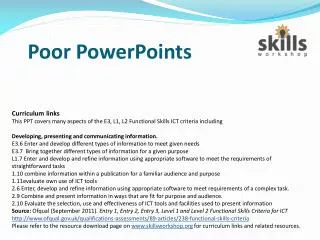
Poor PowerPoints Curriculum links This PPT covers many aspects of the E3, L1, L2 Functional Skills ICT criteria including Developing, presenting and communicating information. E3.6 Enter and develop different types of information to meet given needs E3.7 Bring together different types of information for a given purpose L1.7 Enter and develop and refine information using appropriate software to meet the requirements of straightforward tasks 1.10 combine information within a publication for a familiar audience and purpose 1.11evaluate own use of ICT tools 2.6 Enter, develop and refine information using appropriate software to meet requirements of a complex task. 2.9 Combine and present information in ways that are fit for purpose and audience. 2.10 Evaluate the selection, use and effectiveness of ICT tools and facilities used to present information Source:Ofqual (September 2011). Entry 1, Entry 2, Entry 3, Level 1 and Level 2 Functional Skills Criteria for ICT http://www.ofqual.gov.uk/qualifications-assessments/89-articles/238-functional-skills-criteria Please refer to the resource download page on www.skillsworkshop.org for curriculum links and related resources.
Colour • Don’t use similar colours for the text and background. • Don’t use toomanydifferent colours either!
Using Text • Don’t use lots of different types of fonts. • ANDbe consistent with the sizeof text. • Don’tusetoomanyfeatureseither Or too much WordArt Don’t put too much writing in blocks. It can be really, really boring for people to read lots and lots of uninteresting text about nothing in particular and there isn’t really any point in writing about nothing and making someone read it and making them bored of reading it, is there? So don’t do it, at all, ever!
Animations Animations Animations Don’t Have too many Animations Animations Animations Animations
Spling and grandma • Mayk shore yoor spling is crekt • Yoos. Full stops in the. rite places • put capital Letters oN names and titLes and the at the beg ning of sentences. • Spellcheck ur work to remove the squiggly red and green lynes.
Presenting your Slideshow • Don’t read every word on the slide • Use the bullet points as prompts for you to explain further • Don’t copy and paste text • Make sure you can pronounce the words • Use the notes section as a reminder to yourself
If in doubt… • Make sure your slides all look the same • Only use one or two pictures per slide, for decoration or to illustrate your point. • Use an easy font to read e.g. Comic Sans or Arial • Only use animations to make a point • Make sure your points are brief • Use a Design Template to ensure consistency