Group Wiki Tool: Collaborative Document Editing for Efficient Group Work
Learn about the Group Wiki tool on Blackboard, which allows group members to collaboratively edit shared documents, avoiding multiple versions and ensuring only group members can view/edit content. Explore how this tool can enhance group work efficiency.

Group Wiki Tool: Collaborative Document Editing for Efficient Group Work
E N D
Presentation Transcript
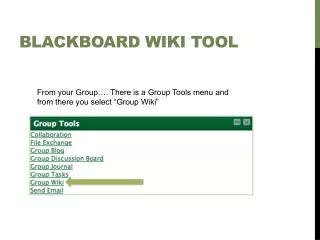
Blackboard WIKI Tool From your Group…. There is a Group Tools menu and from there you select “Group Wiki”
Wiki – what does it do? • It is a shared document so all group members can make changes or edits to the document as it is created. • For example, if you are writing a lesson plan together, you can avoid creating multiple versions by email and have one shared document. • Within a Group Wiki, only group members can view or edit your page. • There is a course Wiki page that works the same way, but all postings are viewable by all users in the course.
Wiki Page Edits the existing page (in this case, “Goals”) Creates a new page. Click the little arrows to either Edit the page or see the revision history