Comprehensive Guide to Excel Functions: AVERAGE, COUNT, VLOOKUP, and More
20 likes | 155 Vues
Unlock the full potential of Excel with our comprehensive guide to essential functions. Learn how to efficiently utilize functions like AVERAGE, COUNTIF, VLOOKUP, and SUM to analyze data, perform calculations, and streamline your workflow. Each function is explained in detail with examples, helping you understand their purpose and application in various scenarios. Whether you're a beginner or an advanced user, this guide will enhance your skills and maximize your Excel productivity. Discover how functions like FV, PMT, and RANK can elevate your financial modeling and data analysis.


Comprehensive Guide to Excel Functions: AVERAGE, COUNT, VLOOKUP, and More
E N D
Presentation Transcript
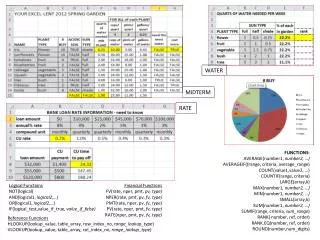
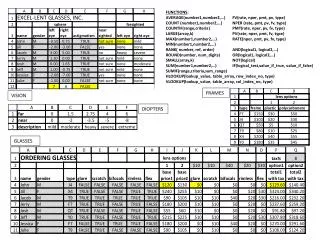
FUNCTIONS: AVERAGE(number1,number2,…) COUNT (number1,number2,…) COUNTIF(range,criteria) LARGE(array,k) MAX(number1,number2,…) MIN(number1,number2,…) RANK( number, ref, order) ROUND(number, num_digits) SMALL(array,k) SUM(number1,number2,…) SUMIF(range,criteria,sum_range) HLOOKUP(lookup_value, table_array, row_index_no, type) VLOOKUP(lookup_value, table_array, col_index_no, type) FV(rate, nper, pmt, pv, type) NPER (rate, pmt, pv, fv, type) PMT(rate, nper, pv, fv, type) PV(rate, nper, pmt, fv, type) RATE(nper, pmt, pv, fv, type) AND(logical1, logical2,…) OR(logical1, logical2,…) NOT(logical) IF(logical_test,value_if_true, value_if_false) FRAMES VISION DIOPTERS GLASSES