Download
1 / 8
80 likes | 212 Vues
This document provides an in-depth overview of the challenges faced in the permanent retention of electronic records, exemplified by the Curtis Riggs Zenith Data System collection. It outlines Riggs' background, his contributions to the field, and the inventory assessment of the collection. The report addresses technical issues, including problems with disk imaging and drive compatibility. Recommendations for future workflows and preservation efforts are proposed to ensure the longevity and accessibility of similar collections. This case study serves as a vital resource for archivists and digital preservationists.

E N D
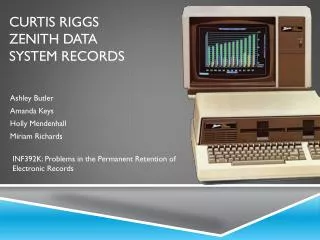
Curtis Riggs Zenith Data System Records Ashley Butler Amanda Keys Holly Mendenhall Miriam Richards INF392K: Problems in the Permanent Retention of Electronic Records
Curtis Riggs • Born in 1946 in Los Angeles, California • Joined Air Force in 1964; served 22 years • Received M.S. in Electrical Engineering in 1973 from U.S. Air Force Institute of Technology • Thesis work: minicomputer design • Purchased Zenith Z-100 with government employee discount • Donated system and documentation to Goodwill Computer Museum in 2010
Curtis Riggs’ Zenith Data System • Purchased Zenith as home computer due to familiarity with work system • Primary use included word processing, spreadsheet creation, and basic programming • In 1985, Riggs expanded RAM from 128K to 256K • Utilized MS-DOS operating system • Created working and backup copies per manual instructions • Used until 1993
Collection Assessment • Inventory: • 83 5.25” floppy disks • 22 bibliographic materials • 4 empty binders • CRT Monitor • Z-100 Low Profile Dual Drive Computer • Cables (power, video) • Condition: • At the outset, all materials appear to be in working order
DSpace: Representation • Community: Goodwill Computer Museum • Sub-Community: Curtis Riggs Zenith Data System Collection • Collection: CRZDS Project Documentation • Sub-Community: CRZDS Bibliographic Materials • Sub-Community: CRZDS Manuals • Sub-Community: CRZDS Quick-Start Guides • Sub-Community: CRZDS Ephemera • Sub-Community: CRZDS Hardware • Sub-Community: CRZDS Records • Collection: CRZDS Oral History • Collection: CRZDS Papers • Sub-Community: CRZDS Software • Sub-Community: CRZDS Application Software • Sub-Community: CRZDS Game Software • Sub-Community: CRZDS Programming Software • Sub-Community: CRZDS System Software
Technical Issues and Workarounds • DISK IMAGING! • Sources of Problems: • Disks • Drives • File Systems • Or all THREE • Unable to mount disk images=> no virus scanning=> limited metadata harvesting
Future Recommendations • Future Frankenstein groups develop workflow for cleaning drives and disks • Develop a means to read and render materials in situ • For provenanced computers, understand that material types will vary and structure will reflect that complexity • For deep-level of hardware cataloging, collaborate!