Week 6 Exam Review: Flash Exam Prep, Insightful Techniques, and Data Visualization Methods
Prepare for your Week 6 exams with this comprehensive review. The flash exam is open book and you can utilize your notes and computer for the full 2-hour duration. Explore innovative visualization techniques that enhance the informational efficacy of your results, such as modifying axis labels for better visibility and using color highlights to signify averages. We will also cover choropleth mapping and data storage in XML, featuring examples from notable literature. Get ready for a successful exam experience while harnessing effective presentation methods!

Week 6 Exam Review: Flash Exam Prep, Insightful Techniques, and Data Visualization Methods
E N D
Presentation Transcript
INFO 424 Week 6 Exams Review Preview New stuff
Flash Exam Friday open book/notes/computer you’ll be able to use all 2 hours if you want them
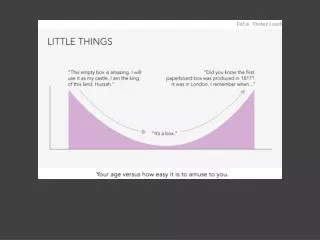
4.0! Why?... How you emulated the model How this makes the result visually effective The label and numbers on the axis were a little bit lighter in the AP image, so I modified it to be the same. This removes the emphasis from the numbers, but still makes them visible enough for when the viewer wishes to see the more exact square footage. How this makes the result ‘informationally effective’ (how it conveys the message well) The light orange-red highlighting was used in an AP image (on the left side of the artboard) in order to convey an average. I tried to do the same here to demonstrate the visual technique, although I really have no concrete data to base my average on since none was given. …and innovative
Choropleth map Store data in XML Draw with AS
G R B
Choropleth map Store data in XML Draw with AS
<metadatas> <item id="Book 1"> <bookTitle>War and Peace</bookTitle> <bookAuthor>Leo Tolstoy</bookAuthor> </item> <item id="Book 2"> <bookTitle>Harry Potter</bookTitle> <bookAuthor>JK Rowling</bookAuthor> </item> </metadatas> varmyXML:XML; titleText_txt.text = myXML.item.(@id=='Book 1').bookTitle; titleText_txt.text = myXML.item[0].bookTitle;
Choropleth map Store data in XML Draw with AS