Download
1 / 26
260 likes | 376 Vues
Discover the power of QR codes in libraries to bridge the gap between physical and digital learning. This guide explores what QR codes are, how they work, and their advantages over traditional barcodes. Learn how to create your own QR codes, where to place them, and the best apps for scanning. Explore practical applications including linking books to trailers, reviews, and author websites, transforming library resources into "smart objects." Find out how QR codes can enhance research access and learning experiences beyond library walls.

E N D
Being QR-ious Anne Bozievich Lynn Clements Wendy Fitzgerald Engaging Curiosity Using QR Codes in the Library
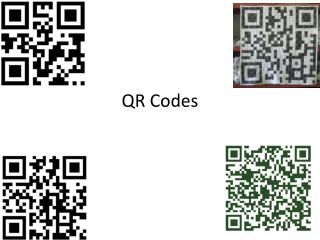
So what are QR codes? • QR stands for ‘quick-response’ • Technical definition: a machine-readable object hyperlink • 2-dimensional barcodes • Contain URLs • Direct people to places where they can learn more information
Why not use barcodes? • QR codes contain much more information than one-dimensional barcodes • Barcodes contain up to 20 numbers • QR codes contain thousands of alphanumeric characters (4,296) • QR codes can be read from left to right and also up and down
Where can I find QR codes? • Product labels • Billboards and signs • Magazines • Hershey Park • Restaurant menus • Newsletters • Annual reports • State parks
How do QR codes work? • Data is translated into a code using a QR code generator • Many free options available online http://www.qrstuff.com/ http://www.quikqr.com/ http://goqr.me/
How do QR codes work? • Information is decoded using any mobile device that has a QR code reader (a free app) • Just point your device towards the code to scan it • Your device will redirect you to the webpage corresponding to the coded information
Size and Location • Be sure your QR code is large enough to scan • Safe size: 1.25 x 1.25 inch square • Be careful about placement. Avoid: • Reflective surfaces • Corners of a package • Folds • QR codes need some white space around them in order to be read properly
Creating “smart objects” • Linking physical objects to the online world creates “smart objects” • Example: taping a QR code to the front of a library book or inside the front cover makes it a smart object
Link to movie information • Catching Fire movie trailer • Judy Moody and the Not Bummer Summer movie trailer
Link to information about authors • Biographies of Warriors series’ authors
Link to related content Redwoods National Park National Geographic bio
Link to related content • Natalie Merchant and “Wonder” Song lyrics YouTube video: Natalie Merchant singing “Wonder”
Link to related content • Macy’s Thanksgiving Day Parade website
Link to databases or the OPAC • Help students who are performing research navigate to your resources quickly and easily Friendship Elementary OPAC York County Public Libraries
What are the benefits of using QR codes? • Provide in-the-minute access to information • Learning can occur outside the library in the real world • QR codes break down the library’s 4 walls • Supported by devices students already have and know how to use
How can I make my own QR codes? • Open any internet browser, and perform a search for “QR code generator” • Copy the URL of the website you want to link your QR code to into the QR code generator • Follow the generator’s instructions • After your QR code is created, download and save it on your computer • Copy and paste the QR code into your document, and print! QR code for QR Stuff generator
What apps are available to scan QR codes? • i-nigma • Beetagg • kaywa • neoreader
Where can I put QR codes? • Book covers • Book spines • Signs around the library • Bookmarks • Newsletters
References • "7 Things you should know about QR codes." Educause. (2009): n. page. Web. 21 Apr. 2013. <http://www.educause.edu/library/resources/7-things-you-should-know-about-qr-codes>. • Collins, Karla, April Knowles, and Jo Ann Molnar. "Using QR codes to engage high school learners." Library Media Connection. 10 2012: n. page. Print. • Fredrick, Kathy. "Cracking the code: Using QR codes." School Library Monthly. 02 2013: 25-27. Print.
Questions? Being QR-ious Anne Bozievich Lynn Clements Wendy Fitzgerald Engaging Curiosity Using QR Codes in the Library