Major Enhancements in Cube 4.1: New Features and Extensions for Advanced Modeling
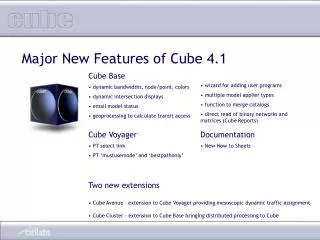
Cube 4.1 introduces significant upgrades like dynamic bandwidths, new display features, user program integration wizards, and improved geoprocessing for transit access calculations. Enhancements include direct reading of binary networks, dynamic intersection displays, and powerful new model appliers. The addition of Cube Avenue enables mesoscopic traffic assignments, while Cube Cluster provides distributed processing capabilities. Additionally, the updated documentation with "How-To" sheets supports users in effectively managing the new functionalities. Explore these advancements to enhance transportation modeling.

Major Enhancements in Cube 4.1: New Features and Extensions for Advanced Modeling
E N D
Presentation Transcript
Major New Features of Cube 4.1 • Cube Base • dynamic bandwidths, node/point, colors • dynamic intersection displays • email model status • geoprocessing to calculate transit access • wizard for adding user programs • multiple model applier types • function to merge catalogs • direct read of binary networks and matrices (Cube Reports) • Cube Voyager • PT select link • PT ‘mustusemode’ and ‘bestpathonly’ • Documentation • New How to Sheets • Two new extensions • Cube Avenue – extension to Cube Voyager providing mesoscopic dynamic traffic assignment • Cube Cluster – extension to Cube Base bringing distributed processing to Cube
New in Cube Base:Dynamic Bandwidth, Colors.. Display ‘keyed’ network attributes using bandwidth and color
New in Cube Base:Dynamic Intersection Displays Display queue, capacity, delay, volume by time period
New in Cube Base:email model status When running from Voyager.exe, allows the user to ask for an email to be sent when model run is completed
New in Cube Base:transit access geoprocessing Calculate and save zone-level access to transit stops
New in Cube Base:external program wizard Enables users to more easily add external programs to the Cube Base program menu
New in Cube Base:multiple model appliers Allows to set available keys (parameters, file options, etc) for several model user types along with separate passwords
New in Cube Base:merge catalogs Merge Applications, Keys and Scenarios from other Catalogs
New in Cube Base:direct read of binary networks and matrices in Cube Reports extension Direct reading of binary files saves steps to export to DBF
New in Cube Voyager:PT select link • Get selected link/node trip tables • Link Specific • Node Specific • Mode specific • Line specific • Operator Specific • Any combination of the above • Useful for evaluating project demand • Can identify/output percent or probability of trips IJ using the selection
New in Cube Voyager:PT ‘mustusemode’ and ‘bestpathonly’ • Added for enhanced FTA New/Small Starts Review compatibility • BESTPATHONLY • Selects only path with least cost from enumerated routes • Can be any mode including all walk (with appropriate connectors generated) • MUSTUSEMODE • Selects mode combinations from enumerated routes • Can use a single mode, group of single modes or mode combination to evaluate (e.g. rail only, walk to bus, walk to local bus to rail, etc). • Alternative methods available for headway calculation • New controls for route enumeration and evaluation processes
Documentation:‘How To’ sheets • Recently hired professional, full-time technical writer. • First product is available: • ‘How To’ sheets: • How to change network projection • How to customize the cube interface • How to enable true shape display • How to use the calibrate gravity model • Next product updated tutorial • After that: new Cube User Guide—for release in June 2007 Essential Cube Cube User Guide
New Extension to Cube Voyager: Cube Avenue • Mesoscopic assignment (dynamic traffic assignment) - representing vehicles as discrete packets or individual vehicles - assigning a specific time of departure from the origin point in the network to each packet or vehicle - routing the vehicles along multiple paths in response to dynamic traffic conditions - representing queues and bottlenecks including ‘blocking back’ or the formation of queues on a roadway segment or at an intersection which spill back up-stream to block roadway segments which feed into the roadway segments • providing the ability to represent intersection geometrics and traffic control systems in detail. • Region-wide, corridor-level • Evacuation modeling, greater analysis of geometrics, traffic control and ITS strategies
New Extension for Cube Base: Cube Cluster • Brings very large time reductions in model runs • Provides 2 types of savings: • Multi: example: take a three time period run and run the mode choice models on three PCs simultaneously • Intra: example: run one mode choice model over multiple PCs. • Time savings can be substantial • Take a 10 hour run model and put across 10 pcs. Processing time reduced to 1 hour and 10 minutes • Architecture: 1 desktop license plus multiple, low cost ‘node’ licenses
Some new graphics under development for Cube 4.2? • Packet animator for Cube Avenue • A quick peek
Making scripting easier in Cube 4.2 • Templates • Exist today • Currently building a comprehensive library • More context-driven
Cube 5.0: Cube Land • Innovation in land use pricing—via auction/bidding theory • Econometric-based model • Integrates Cube Voyager’s transport accessibility measures and ESRI’s spatial mapping/analysis capabilities • Works directly with property tax appraiser parcel-level data for a bottom-up, agent-based approach to forecasting • Forecasts land rent/prices to better evaluate development pressures
Cube 5.0 – Embedded ArcGIS • Cube 5 embeds GIS functions • Based on ArcObjects from ArcGIS Engine • Provides enhanced GIS capabilities to Cube users at no additional cost • Can take advantage of ArcGIS license and extensions already on your computer • Stores data in geodatabase format • 5.0- Personal geodatabase (MDB) • 5.1-Enterprise geodatabase • Provides geoprocessing functions based on ESRI Technology
Cube Web - Accessing the Model via the Internet • Upload scenario data from remote site (locality) to central server • Log in and access model via internet • Eliminates the need to have local versions of the model • Vastly improves management and access to the model system across a region and to consultants
Cube Web – live demonstration • Part 1: run a scenario • start my browser • go to a URL • logon as a user • navigate to my workspace (my data) and get a list of what I have available as inputs for my runs • create a new scenario linking in a selection of my inputs : network, zonal data • launch the run • check status • get an email when it is done download the loaded network and open in Cube
Cube Web – live demonstration • Part 2: upload new data, create a new scenario, run it and get email • locally, edit a network, save file • start browser and upload the network to my space • create a new scenario • use that new network • launch scenario, run it, get notification, download results and view
Cube Web – live demonstration • Part 3: ‘Administrator’ • log in as the administrator • view the ‘clients’ (make up 5 or so) • add a new client • specify their ‘rights’