Enhance Your Google Search Skills: Tips for Effective Searching Techniques
Discover advanced Google search techniques that can enhance your online browsing experience. Learn to exclude specific words from your search by using the minus (-) sign, broaden your results by finding synonyms with the tilde (~), and use "OR" to expand your search queries efficiently. This guide also covers how to quickly find definitions by typing "define" before a word and demonstrates unit conversions, such as grams to liters, using Google. Master these tips to refine your search strategies and save time.

Enhance Your Google Search Skills: Tips for Effective Searching Techniques
E N D
Presentation Transcript
Advanced Google Search By Tara A. McGinley
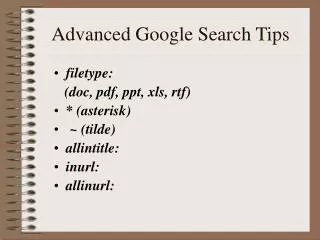
Excluding Key Words • While conducting a search on Google, put a minus (-) sign before a word you wish to exclude entirely.
Searching For Keywords of Similar Meaning • While conducting a search for a specific topic, don’t limit yourself to just searching by one specific word. To expand your search to finding like words, or synonyms, put a swigged mark (~) in front of the desired word.
Using The Word “OR” In Your Search • Placing the word “or” in-between words will in fact expand your search. You can search multiple words at once. A similar search technique would be to add the astrix symbol (*).
Searching For a Definition • To search for the definition of a word, type in the word “define” in front of the desired word.
Unit Conversions through Google • Should you ever find yourself needing to convert Grams to Liters, simple go to the Google search bar and type in “18 Grams to Liters” .