Effective Management and Troubleshooting of Group Policy in Active Directory Environments
140 likes | 260 Vues
This chapter focuses on the management and troubleshooting of Group Policy in Active Directory (AD) environments. It covers key topics such as the hierarchy of Organizational Units (OUs), Group Policy Objects (GPOs), and the differences between domain and local policies. Readers will learn about Group Policy capabilities including registry modifications, software management, and security settings. Additionally, the chapter addresses new features in Windows Vista Group Policy, provides tools like gpresult.exe and GPUpdate.exe for troubleshooting, and emphasizes methods for diagnosing issues using Event Logs and the Group Policy Management Console (GPMC).


Effective Management and Troubleshooting of Group Policy in Active Directory Environments
E N D
Presentation Transcript
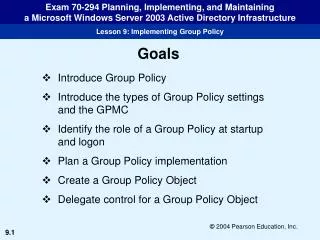
Introducing Group Policy • Active Directory Overview • Group Policy Capabilities • What’s New in Windows Vista Group Policy • Domain vs. Local Policy
Active Directory Overview • Hierarchical • Organizational Units • Group Policy Objects (GPO) • Apply Settings to Users and Computers • Last GPO applied wins
Group Policy Capabilities • Modify Registry Settings • Software Management with Group Policy • Security Settings • Scripts • IE Settings • Folder Redirection
What’s New in Windows Vista Group Policy • Printer Management • Power Management • Device Access
Domain vs. Local Policy • Active Directory - GPOs • Local Machine – LGPOs • Some Settings not available on LGPOs • Folder redirection • Remote Installation Services • Software Distribution
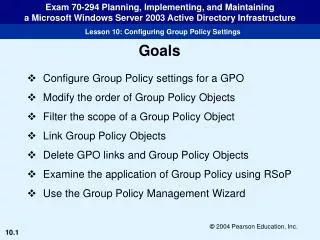
Troubleshooting Group Policy • Using gpresult.exe • Using GPUpdate.exe • Troubleshooting Group Policy with the GPMC • Troubleshooting Group Policy with Event Logs
Using gpresult.exe • GPOs applied in order • Local Policy • GPOs linked to the machine’s site • GPOs linked to the domain • GPOs linked to Ous • Helps determine where a setting came from • Resultant Set of Policy (RSoP)
Using GPUpdate.exe • Refreshes all GPO settings • Commonly used after a change • Can be limited to user settings, computer settings, or both
Troubleshooting Group Policy with the GPMC • Similar to GPResult.exe with GUI • Reports on User and Computer Settings
Troubleshooting Group Policy with Event Logs • Using Group Policy Operational Log • Custom Views to Find Correlations