"Discovering Creativity with Wordle: A Guide to Visualizing Text and Ideas"
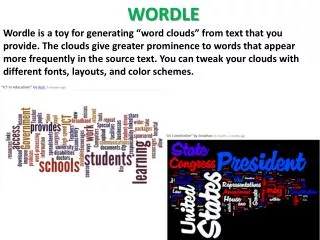
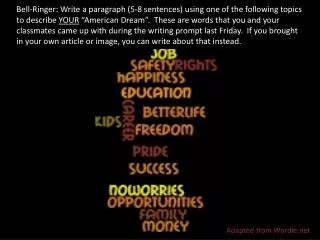
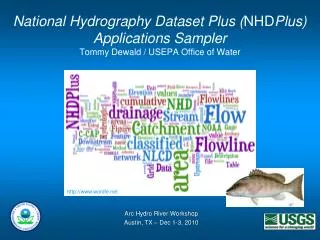
Wordle is a fun, web-based tool that transforms text into engaging word clouds, amplifying cognition through visual means. Whether you're using it for educational purposes or creative projects, Wordle allows you to paste text and create visual representations where the size of each word reflects its frequency. Features include customizable fonts, layouts, color patterns, and saving options in a public gallery. Explore various advanced features and strategies for effective use while considering its advantages and limitations.


"Discovering Creativity with Wordle: A Guide to Visualizing Text and Ideas"
E N D
Presentation Transcript
Marcel Proust “The real voyage of discovery consists not in seeking new landscapes but having new eyes.” - Remembrance of Things Past (In Search of Lost Time)
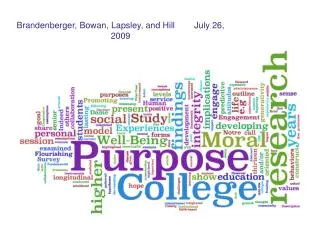
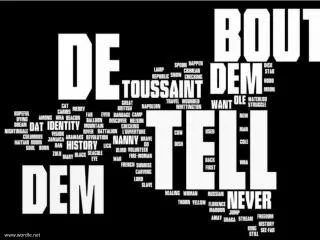
Wordle • “Word Cloud” • “amplification of cognition by visual means” • Free Web 2.0 Tool • Created by Jonathan Feinberg(IBM) and launched in 2008 • “Information Visualization” • The more frequently the word appears, the larger the font; weight = word count
Editing Wordle • Font • Layout • Horizontal vs. vertical • Rounder vs. straighter edges • Maximum words • Reduce # of words to say 50, from 150 • Color • Preset patterns • Custom palette
Using Wordle • Save in Gallery • Click Save to public gallery • You will need a username • Print Screen • Paste into Document • Print
Saving Wordle to the Gallery • Save to public gallery . . . • Look up past Wordles with your username
Print Screen • Click on Print Screen • Upper right hand corner of keyboard • You may need to use your function key Fn • Paste into document • Control V • Crop • Resize
Wordle Strategies in CTE • Explain – “Pedal Pulsation” - procedures • Interpret – Business Ethics • Apply – Math concepts: ratios in recipes • Shift Perspective – Branding • Display empathy – Journaling, Community Service • Reflectively self-assess – Resume, goal setting * Wiggins & McTighe “Six Facets of Understanding”
Wordle Advantages • Web based • No software to download or purchase • Easy • Fun • Quick • Works in foreign languages • Advanced features • Save & access through username
Wordle Disadvantages • Few saving choices • Wordle site • Screen shot • Gallery contains Wordles with inappropriate language • Start at www.wordle.net/create • Once saved, cannot edit
Wordle Hints • To keep words together • use quotes” • Use tilde~ • Delete word in Wordle • Right click on the word
‘Word Cloud’ Options • ABC Ya - (http://www.abcya.com/word_clouds.htm) • Make Word Mosiac – (http://www.imagechef.com/ic/word_mosaic/) • TagCloud - (http://www.tagcloud.com) • TagCloudGenerator – (http://www.tag-cloud.de/) • Tagul - (http://tagul.com/) • Tag Crowd (http://tagcrowd.com/)
‘Word Cloud’ Options (continued) • VocabGrabber –(http://www.visualthesaurus.com/vocabgrabber/) • Word It Out (http://worditout.com/) • Wordsift - (http://www.wordsift.com/)
Sources • www.wordle.net • http://thecleversheep.blogspot.com/2008/10/top-20-uses-for-wordle.html • http://centre4.core-ed.net/viewfile.php/users/10/1965015605/Wordle_QST.pdf • http://static.mrfeinberg.com/bv_ch03.pdf
YouTube Sites • http://www.youtube.com/watch?v=czup64zYRGo&NR=1 • http://www.youtube.com/watch?v=ZDlFrU4Fh0A&NR=1 • http://www.youtube.com/watch?v=kjxTM-0UaJ0&feature=related • http://www.youtube.com/watch?v=24Zcjk-nVCk&feature=related