Programming NXT Robots: A Beginner's Guide to the NXT Program Interface
This guide provides an introduction to programming NXT robots using the NXT Program interface. Starting from the home screen, you'll learn how to navigate through options with the left and right buttons, and select the NXT Program using the orange button. Understand the correct ports for sensors and motors—B for the left axle and C for the right axle. By scrolling through the available options, you will be able to program your robot's movements and integrate sensor functionalities effectively.

Programming NXT Robots: A Beginner's Guide to the NXT Program Interface
E N D
Presentation Transcript
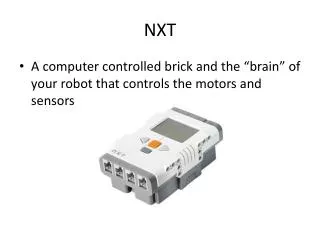
Programming with “the NXT Program” Begin at the home screen. Scroll through with left and right button and press the orange select button on “NXT Program” Read the correct ports for each sensor and motor. B is left axel and C is the right axel. Scroll through the options to program the robot to move and use sensors
![[Low-level] Programming of NXT Robots](https://cdn0.slideserve.com/1257924/slide1-dt.jpg)