Enhancing Education with Tablets: A Comprehensive Pilot Evaluation for School Administrators
This pilot evaluation report outlines the implementation of tablet technology among 19 assistant principals across elementary, middle, and high schools from Summer 2005 to Spring 2006. It includes comparisons between Dell laptops and HP tablets, professional development offerings, and strategies for effective usage in educational settings. Key areas of focus are mobility, troubleshooting, customized training, and ongoing support to help educators maximize the benefits of mobile devices in their classrooms.

Enhancing Education with Tablets: A Comprehensive Pilot Evaluation for School Administrators
E N D
Presentation Transcript
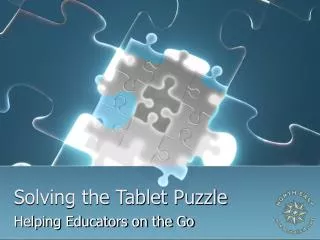
Solving the Tablet Puzzle Helping Educators on the Go
Evaluation Pilot • 19 Assistant Principals • Elementary, Middle, and High School • Six Week Timeline • Comparison of Dell Laptop and HP Tablet
Tablet Implementation • Professional Development • Summer 2005 • How-To’s, Note-taking, Troubleshooting • Spring 2006 • PDAS Tools, Walk-Through Forms, Rubrics • Customized Course Offering • MovieMaker for Assistant Principals
Educators in Action • How Do I Use Thee? Let Me Count the Ways…..
What Is Going Well? • Mobility • Saving forms in to Windows Journal • Discipline on-the-go • Student/Teacher Data instantly available • Installation of Workstations • Customized setup • Data Transfer
What Are Our Challenges? • Tablet software load • Meeting pre-determined deadlines • Helping staff to see tablet as a mobile device, not just a desktop computer • Finding the next tablet
It’s Your Turn! • Meet Our Honored Guests: • Daniel Moczygemba, Assistant Principal, Churchill High School • Dr. Melissa Alcala, Assistant Principal, Tejeda Middle School • Dee Ann Estlack, Assistant Principal, Roan Forest Elementary School
Recommendations • Research several tablets for best features, service and price • Thoroughly test software load • Decide best way to keep tablet secure: • Kensington (or other brand) locks • Computrace • Training • Develop customized training
Last, But not Least • Follow up with tablet users by way of visits and/or online surveys to ensure ongoing support and technical assistance is available
Contact Us • Tim Miller, Director, Educational Technology • Becky Adams, Special Projects Coordinator, Educational Technology • Sue Carlson, Instructional Technology Specialist, Educational Technology www.neisd.net 210-804-7020