How to Effectively Customize Your Presentation Template for Maximum Impact
This guide provides clear instructions on customizing your presentation template. Start by selecting an appropriate title slide and removing unnecessary ones. Edit the presentation title, author names, and affiliations as needed. Make sure to include your name in the footer by navigating to "Insert/Header and Footer..." You can choose between light and dark background slides, with specific instructions for color schemes. Follow these steps to make your presentation visually appealing and professionally formatted. Customize to engage your audience effectively!

How to Effectively Customize Your Presentation Template for Maximum Impact
E N D
Presentation Transcript
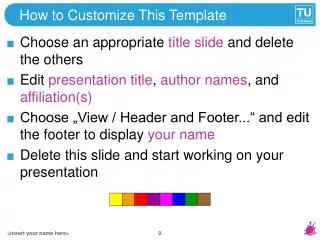
How to Customize This Template • Choose an appropriate title slide and delete the others • Edit presentation title, author names, and affiliation(s) • Choose „Insert / Header and Footer...“ and edit the footer to display your name • Delete this slide and start working on your presentation <insert your name here>
Light Background Slides • The standard color scheme is light background with dark text – it should be used by default <insert your name here>
Dark Background Slides • An alternate color scheme for dark background slides is provided – use it only if it’s unavoidable • Option 1: Select “Design…” and “Colors” • By right-clicking on “Dark background” you can apply it to the current slide, then right-click the rightmost “Background Style” • Option 2: just select the rightmost Background Style (some colors might not adapt correctly) <insert your name here>
<insert presentation title here> <insert author names here> Institute of Computer Graphics and Algorithms Vienna University of Technology
<insert presentation title here> <1st author>1 and <2nd author>2 1 Institute of Computer Graphics and Algorithms Vienna University of Technology 2 <insert 2nd affiliation (institute) here> <insert 2nd affiliation (university) here>
<insert presentation title here> <1st author>1, <2nd author>2 and<3rd author>3 1 Institute of Computer Graphicsand Algorithms Vienna University of Technology 2 <insert 2nd affiliation (institute) here> <insert 2nd affiliation(university) here> 3 <insert 3rd affiliation (institute) here> <insert 3rd affiliation (university) here>
<insert presentation title here> <1st author>1, <2nd author>2,<3rd author>3 and <4th author>4 1 Institute of Computer Graphicsand Algorithms Vienna University of Technology 2 <insert 2nd affiliation (institute) here> <insert 2nd affiliation(university) here> 4 <insert 2nd affiliation (institute) here> <insert 2nd affiliation(university) here> 3 <insert 3rd affiliation (institute) here> <insert 3rd affiliation (university) here>
Motivation • The quick brown fox jumps over the lazy master • The quick brown fox jumps over the lazy dog • The quick brown master jumps over the lazy dog <insert your name here>
Outline • The quick brown fox jumps over the lazy dog • The quick brown fox jumps over the lazy master • The quick brown fox jumps over the lazy dog • The quick brown fox jumps over the lazy dog • The quick brown fox jumps over the lazy master • The quick brown fox jumps over the lazy dog <insert your name here>
Conclusions • The quick brown fox jumps over the lazy dog • The quick brown master jumps over the lazy dog • The quick brown fox jumps over the lazy dog • The quick brown master jumps over the lazy dog • The quick brown fox jumps over the lazy dog <insert your name here>