Advanced Minigolf Engine Programming: Improvements and Enhancements
Explore the latest improvements in the IT-University of Copenhagen's minigolf engine, focusing on rendering issues, physics enhancements, GUI improvements, and more. Learn about the core components, mathematics, physics, sound, database, and GUI elements.

Advanced Minigolf Engine Programming: Improvements and Enhancements
E N D
Presentation Transcript
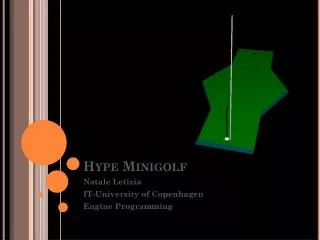
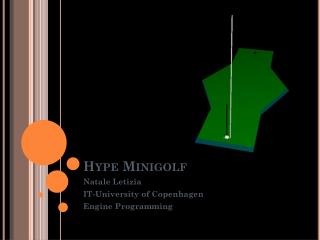
Hype Minigolf Natale Letizia IT-University of Copenhagen Engine Programming
Outline • Latest improvements • Original release overview • Core engine description • Screencasts • Conclusions
Last • Need for a better graphics – rendering issues • Impossible to perceive depth on nonplanar surfaces – need to define a different illumination setting • Gravity and slopes – physics • A ball with zero velocity on an inclined plane should roll down due to gravity • A power bar - GUI enhancements • Players need feedback for shooting
Overview of the engine • Core components • Rendering • Mathematics • Physics • Sound • DataBase • Graphical User Interface
Rendering • Improvements A different illumination setting • Ambient, diffuse and specular light set • Define a better shading model of the objects • Basics of the original • Camera and parameters setting (POV, translation, rotation)
Mathematics • Algebra, matrices and vectors operations • A vector structure is used such as to represent both vertices and vectors (norms, directions, forces, etc) • Basic operations supported, main: • Extract magnitude of a vector, or give me the square of it • Normalize a vector • Dot product • Cross product • Scaling (or vector per scalar product) • Translation (or vectors sum) • Difference between vectors
Physics • Improvements • Gravity parallel force • Basics of the original A simulation loop, which comprises the following Parts and features: • Euler integrator • Collision detection/response • Contact types
More onphysics • Eulerintegrator Basics step: • New velocity (target) = previousvelocity+(current force*(deltaT/mass)) • New position = previous position + (currentspeed*deltaT) • Collisiondetection/response • Find interpenetration • NO -> check ifcontact/collision (distance ball-plane) collisionif non restingcontact, prepare for response • YES -> reduce the deltaT of the integration step as the half of current time to target, • Contact types (basedon the coeff of restitution) • Walls bump • Betweentilesmovement
GUI – UIMS + HUD MFC menu + HUD
GUI • Improvements A power bar • Basics of the original • Microsoft MFC UIMS • On game HUD
Sound • Basic feedback Windows audio Success Collision
Database • Support for the operations • SELECT • SHOW • INSERT As to manage highscores, course loading, user profiles
Screencasts Let’s see the game on play!!
Conclusions • Further enhancements GUI: Improving usability Physics: Use RK4 (a more accurate integrator - but not as fast as Euler)