Understanding XML Verification and Document Type Declaration (DTD) in XML Syntax
This guide provides an overview of XML verification, focusing on well-formed documents that conform to basic syntax and character entities. It explains the Document Type Declaration (DTD) and its role in defining the grammar for XML structures, including element declarations for text, sequences, alternatives, repetition, and mixed content. Learn about attribute declarations, types, and how to declare entities in XML. Additionally, find out how namespaces are utilized in XML to distinguish elements and attributes, enhancing document structure and design.

Understanding XML Verification and Document Type Declaration (DTD) in XML Syntax
E N D
Presentation Transcript
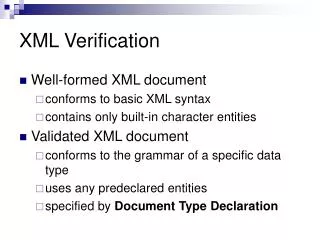
XML Verification • Well-formed XML document • conforms to basic XML syntax • contains only built-in character entities • Validated XML document • conforms to the grammar of a specific data type • uses any predeclared entities • specified by Document Type Declaration
XML: Type Declaration (DTD) • A DTD specifies the grammar for a simple data structure • ordering • repeatability • labelling • vocabulary / schema / ontology • DTD defined in an external entity • overridden by local definitions
DTD: elements (text) • Element declarations <!ELEMENT para contents of para> • just text <!ELEMENT para (#PCDATA)> <para>Here is some text. No italics allowed.</para>
DTD: elements (sequences) • just a sequence of elements <!ELEMENT person (name, email, phone)> ... <person> <name>Les</name> <email>lac@ecs.soton.ac.uk</email> <phone>+44 23 8067 5145</phone> </person>
DTD: elements (alternatives) • just a choice of elements <!ELEMENT person (name | email | staffno)> ... <person> <name>Les</name> </person>
DTD: elements (repetition) • element repetition can be controlled ? optional + required and repeatable * optional and repeatable • element can be grouped with ( ) <!ELEMENT customer ( ((surname, initials) | custid), purchases* , visits+ )>
DTD: elements (mixed) • mixed content (text interspersed with elements) <!ELEMENT para (#PCDATA | italic | bold | link | image)* -- optional repeatable choice group with #PCDATA as first item -- >
DTD: elements (misc) • no content <!ELEMENT image EMPTY > • any content <!ELEMENT buffer ANY >
DTD: attribute declarations • Attribute declarations <!ATTLIST para security …security attribute info… author …author attribute info… id …id attribute info… > • Each attribute has a type and default <!ATTLIST para security (private|public) public author CDATA #IMPLIED id ID #REQUIRED >
DTD: attribute types • Attribute types • CDATA, NMTOKEN(S), ENTITY(-IES), ID, IDREF(S), enumeration • Default values • string • token • #IMPLIED • #REQUIRED • #FIXED (must precede default)
DTD: declaring entities • Entities can be strings <!ENTITY ms “Microsoft Corporation"> • Entities can be external files • Entities can be binary data formats <!ENTITY pic1 SYSTEM "me.gif" NDATA gif> <!NOTATION gif SYSTEM "gifviewer.exe"> <!ENTITY chap1 SYSTEM "../src/ch1.xml"> <!ENTITY disc PUBLIC "-//CC//Standard Disclaimer//EN" "/lib/stddisc.xml">
DTD: using entities • Entities must be declared in a DTD <!DOCTYPE Book [ <!ENTITY chap1 SYSTEM "ch1.xml"> ]> • Entities can be used in text or attributes <book>&chap1; &chap2; &chap3;</book> <para title="This & That"/> <image src="pic1" align=left/>
DTD: entities for DTDs • Parameter entities provide macro expansion within a DTD • use '%' instead of '&' • prefix name by '%' in declaration <!ENTITY % common "name | address | phone"> <!ELEMENT stuff ( %common; | email )
Namespaces • Namespaces allow different designers to create different elements and attribute names for different purposes. • e.g. M&S catalogue <table> element for screen layout <table> element for describing furniture
Namespaces (2) • Namespace is identified with a URL • Namespace is referred to by a prefix • Any name from that namespace is referred to by a qualified name • prefix:name • e.g.<html:table> • or<para MoD:classification=restricted>
Namespaces (3) • Namespace is defined • at the document root • by the xmlns: attribute prefix <catalog xmlns:html="http://www.w3c.org/TR/REC-html40"> <html:table>… <table material=pine><price>120</price></table> <chair material=pine><price>34</price></chair> </html:table> </catalog>