Download
1 / 3
30 likes | 146 Vues
This guide covers the evaluation of the natural base ( e ) to nine decimal places, common logarithm function, and natural logarithm calculations using a scientific calculator. Learn to navigate your calculator efficiently by entering expressions such as ( e^x ), ( log_{10}(100) ), and ( ln(e^2) ). Examples and step-by-step instructions are provided, focusing on properly closing parentheses to ensure accurate results. Master these essential mathematical functions for more complex computations.

E N D
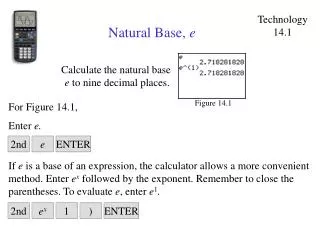
Technology 14.1 Natural Base, e Calculate the natural base e to nine decimal places. For Figure 14.1, Figure 14.1 Enter e. 2nd e ENTER If e is a base of an expression, the calculator allows a more convenient method. Enter ex followed by the exponent. Remember to close the parentheses. To evaluate e, enter e1. 2nd ex 1 ) ENTER
Technology 14.2 The Common Logarithm Evaluate log10 100. Figure 14.2 For Figure 14.2, Enter the common-logarithm function, log, followed by 100. Remember to close the set of parentheses. LOG 1 0 0 ) ENTER
Technology 14.3 The Natural Logarithm Evaluate ln e2. Figure 14.3 For Figure 14.3, Enter the natural logarithm, ln, followed by ex and the value of the exponent, 2. Remember to close the both sets of parentheses. LN 2nd ex 2 ) ) ENTER