Understanding Arrays: Fundamentals and Practical Applications in Programming
In this session, we explore the concept of arrays in programming. An array is a data structure that allows you to store a list of variables, all sharing the same name but differentiated by subscripts. Learn how to declare and initialize arrays, as well as load data from files. We will examine the relationship between parallel arrays and demonstrate practical applications through pseudocode examples for sorting, processing data, and using basic string functions. This comprehensive overview aims to enhance your understanding of arrays.


Understanding Arrays: Fundamentals and Practical Applications in Programming
E N D
Presentation Transcript
- Meeting 8 –Array By: Felix Valentin, MBA
Today Topic: • Understanding using of array • Array Partice
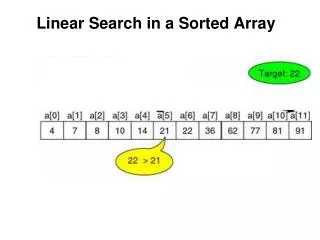
Understanding using of array • An arrayis a series or list of variables in computer memory, all of which have the same name but are differentiated with special numbers called subscripts • When you declare an array, you declare a programming structure that contains multiple elements, each of which has the same name and the same data type • You often can use a variable as a subscript to an array, replacing multiple nested decisions
Understanding using of array • You can declare and initialize all of the elements in an array using a single statement that provides a type, a name, and a quantity of elements for the array • You can load an array from a file • In parallel arrays, each element in one array is associated with the element in the same relative position in the other array
Array Sample • Create a psecudo code for this application: n(max. 10) = 45231 12345
Array Sample START CHAR Alpha[10], Temp INTEGER I, J READ “n(Max. 10) : “, Alpha FOR I = 1 TO LEN(Alpha) DO BEGIN FOR J = I + 1 TO LEN(Alpha) DO BEGIN IF (Alpha[I] > Alpha[J]) THEN BEGIN Temp = Alpha[I] Alpha[I] = Alpha[J] Alpha[J] = Temp END END END PRINT Alpha END
Array Sample • Several string basic function: • LEN(VAR) : INTEGER Ex: LEN(Name) • LEFT(VAR, nText): STRING Ex: LEFT(Name, 3) • RIGHT(VAR, nText): STRING Ex: Right(Name, 2) • MID(VAR, cText, nText): STRING Ex: MID(Name, 2, 3)
Array Sample • Create a psecudo code for this application: Data(Max. 10) = 2 Name-1 : Budi Score : 75 Status : Pass Name-2 : Charles Score : 50 Status : Fail
Array Sample START STRING Name[10] INTEGER Score[10], Data READ “Data(Max. 10) : “, Data FOR I = 1 TO Data DO BEGIN READ “Name : “, Name[I] READ “Score : “. Score[I] IF (Score[I] >= 60) PRINT “STATUS : PASS” ELSE PRINT “STATUS : FAIL” END END
Array Partice • Create a psecudo code for this application: n (max. 5) = 3 <- User Input 4 5 8 7 2 3 = 4 5 8 7 2 3 = 2 3 4 5 7 8
Array Partice • Create a psecudo code for this application: n (max. 5) = 3 <- User Input 4 2 5 8 3 4 7 2 3 5 7 8 = 4 5 8 7 2 3 = 2 3 4 5 7 8
Array Partice • Create a psecudo code for this application: Text(Max. 10 Char) = BUDI <- User Input BUDI IBUD UDIB BUDI DIBU