Computer Literacy Course Certificate_compressed
A Computer Literacy Course Certificate recognizes successful completion of basic computer training. It confirms skills in operating systems, internet use, email communication, and applications such as Microsoft Word, Microsoft Excel, and Microsoft PowerPoint. This certification demonstrates digital competence, improving employability, productivity, and confidence in using technology for academic, professional, and personal tasks.

Computer Literacy Course Certificate_compressed
E N D
Presentation Transcript
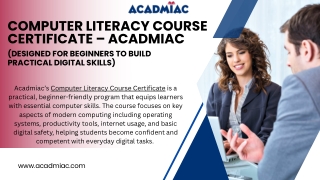
COMPUTER LITERACY COURSE CERTIFICATE – ACADMIAC (DESIGNED FOR BEGINNERS TO BUILD PRACTICAL DIGITAL SKILLS) Acadmiac’s Computer Literacy Course Certificate is a practical, beginner-friendly program that equips learners with essential computer skills. The course focuses on key aspects of modern computing including operating systems, productivity tools, internet usage, and basic digital safety, helping students become confident and competent with everyday digital tasks. www.acadmiac.com
WHAT YOU WILL LEARN Core Learning Areas The course is divided into eight structured modules with hands-on exercises: 1.Fundamentals Systems Basic concepts, components & functions Input, output, and storage devices Core computing terminology of Computer 3.Word Processing (MS Word) Document formatting Review and print/export techniques creation, editing & 4.Spreadsheet Operations (MS Excel) Data entry and formatting Basic formulas, charts & data organization 2.Operating Management Using Windows OS interfaces Managing files and folders System settings and control panel functions Systems & File
5.Presentation Skills (MS PowerPoint) Designing slides and visuals Transitions, animations presentation practices 7.Social Governance Using social platforms responsibly Digital services and online identity basics Networking & e- & best 6. Internet & Online Communication Browsing, search engines & email management Online etiquette communication tools 8.Computer Maintenance & Data Security Software installation maintenance Malware awareness, backups & data protection & basic and
LEARNING APPROACH Hands-On Practice: Every module includes practical lab tasks that build real-world skills. Module Assessments: Learners complete evaluations on practical and theoretical topics. Confidence Building: Focuses on real usage scenarios, not just theory.
COURSE STRUCTURE Feature Details Duration Modules Mode Language Certification Instructor Course Fee 5 Weeks 8 Structured Lessons On-Campus English Yes (Awarded on successful completion) On-CampusMr. Shubham Thakur – Computer Applications Educator ₹5,000 (discounted)
INSTRUCTOR PROFILE Mr. Shubham Kumar Thakur Experienced digital skills trainer specializing in foundational computer applications including operating systems, MS Office tools, internet usage, and system safety. Known for structured lessons and practical teaching methods that boost learner confidence.
CERTIFICATION BENEFITS Upon successful completion, learners receive a verified Computer Literacy Certificate proficiency in: that demonstrates Computer basics and system operation Microsoft Office applications Internet and email usage Basic digital safety and maintenance This certificate is ideal for students preparing for academic work, workplace readiness, and everyday digital needs.
WHO CAN JOIN? This course is suitable for: Beginners with minimal computer experience Students seeking practical digital skills Professionals fundamental IT knowledge Individuals preparing for digital- skill requirements in studies or work environments needing
Get In Touch +91 95208 39111 connect@acadmiac.com www.acadmiac.com Lotus Tower, 3rd Floor, Kanwali Road, Dehradun, 248006
THANK YOU www.acadmiac.com