Hard Disk vs SSD Replacement for Laptops
<br>Confused between hard disk and SSD replacement for laptops? Learn the differences, speed, performance, and which upgrade is best. Complete guide to improve laptop speed, boot time, and overall performance with SSD or HDD.<br><br>https://maxipleitservices.com/hard-disk-vs-ssd-replacement-for-laptops-complete-upgrade-guide/

Hard Disk vs SSD Replacement for Laptops
E N D
Presentation Transcript
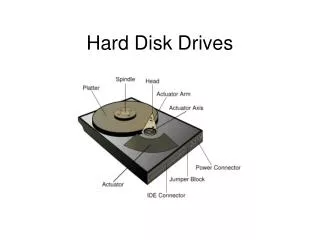
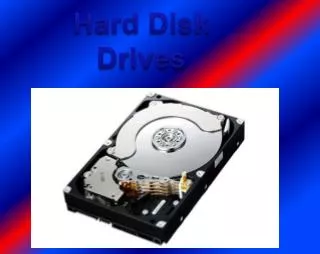
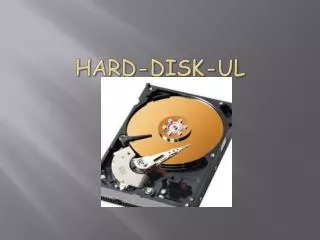
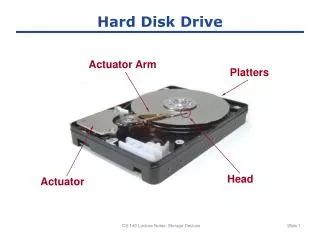
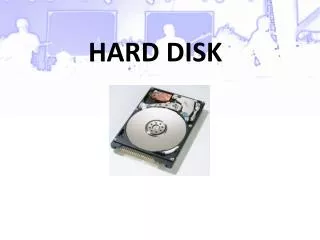
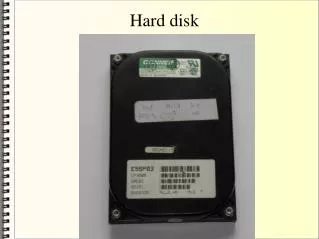
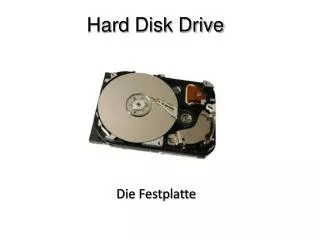
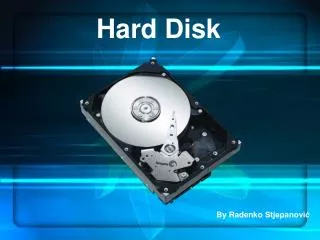
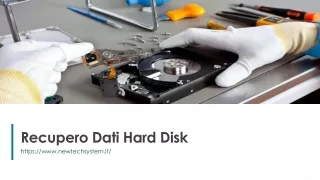
Hard Disk vs SSD Replacement for Laptops: Complete Upgrade Guide Hard disk vs SSD replacement for laptops is one of the most effective upgrades to improve performance and speed. Many older laptops use traditional hard disk drives (HDDs), which are slower and less efficient compared to modern solid-state drives (SSDs). Upgrading to an SSD can significantly improve boot time, application loading speed, and overall system responsiveness. This upgrade is cost-effective and can extend your laptop’s usable lifespan. Understanding the difference between HDD and SSD helps you choose the right storage upgrade. For professional laptop upgrade services, contact Maxiple IT Services at +91 88828 41303 or visit https://maxipleitservices.com/. What Is a Hard Disk Drive (HDD)? A hard disk drive is a traditional storage device that uses spinning disks to store and retrieve data. HDDs rely on mechanical parts to read and write information, which makes them slower than SSDs. HDDs offer larger storage capacity at lower cost, making them suitable for storing large files like videos and documents. However, the mechanical components increase the risk of physical damage and slower performance. Because HDDs use moving parts, they also generate more heat and noise compared to SSDs. What Is a Solid-State Drive (SSD)? A solid-state drive is a modern storage device that uses flash memory instead of mechanical components. SSDs have no moving parts, making them faster, more reliable, and energy efficient. SSDs provide faster boot time, quicker file access, and smoother application performance. Your laptop can start in seconds instead of minutes after upgrading to an SSD. SSDs also consume less power, which improves battery life and reduces heat generation. Key Differences Between HDD and SSD The main difference between HDD and SSD is speed and performance. SSDs are significantly faster because they use electronic memory instead of spinning disks. HDDs are more affordable for larger storage capacity, but SSDs provide better performance and reliability. SSDs are also more durable because they have no mechanical components. In terms of efficiency, SSDs improve overall laptop performance, multitasking ability, and system responsiveness.
Benefits of Replacing HDD with SSD in Laptop Replacing HDD with SSD offers several important benefits. The most noticeable improvement is faster boot time and quicker application loading. Your laptop will run smoother, respond faster, and handle multitasking more efficiently. SSD upgrades also reduce system freezing and improve overall user experience. Another benefit is improved durability and reliability, as SSDs are less likely to fail due to physical damage. Upgrading to SSD is one of the best ways to improve laptop performance without buying a new device. When Should You Replace HDD with SSD? You should consider SSD replacement if your laptop is slow, takes long to boot, or freezes frequently. Older laptops benefit the most from SSD upgrades. If your hard disk is failing, making noise, or causing system crashes, replacing it with an SSD is highly recommended. SSD upgrades are ideal for professionals, students, gamers, and anyone who wants faster performance. Professional HDD to SSD Upgrade Services Replacing HDD with SSD requires proper installation, data transfer, and system configuration. Professional technicians ensure safe upgrade without data loss. Maxiple IT Services provides expert HDD to SSD replacement, data migration, and performance optimization services. Our technicians ensure smooth upgrade and improved laptop performance. We support all laptop brands and provide reliable upgrade solutions. Conclusion Hard disk vs SSD replacement for laptops is an important decision for improving performance and efficiency. SSDs offer faster speed, better reliability, and improved overall user experience compared to traditional HDDs.
Upgrading to SSD extends laptop lifespan and improves productivity significantly. It is a cost-effective upgrade that delivers immediate performance benefits. For professional SSD upgrade services, contact Maxiple IT Services at +91 88828 41303 or visit https://maxipleitservices.com/. Our experts provide fast, safe, and reliable laptop upgrade solutions. Blog link :- https://maxipleitservices.com/hard-disk-vs-ssd-replacement-for-laptops- complete-upgrade-guide/