Enhancing Developer Productivity using Eclipse
Join Tom Sausner as he introduces Eclipse, a powerful development environment for Java. This session is designed for those unfamiliar with Eclipse, covering its architecture, Java development workflows, and interactive features. Attendees will see real project demonstrations, learn about project creation, navigation, and version control using CVS/SVN. Discover Eclipse plugins, effective shortcuts, and debugging tools to enhance your coding efficiency. Whether you're a novice or looking to maximize your productivity, this session offers valuable insights and practical tips.

Enhancing Developer Productivity using Eclipse
E N D
Presentation Transcript
Enhancing Developer Productivity using Eclipse Presented by: Tom Sausner
Goals • To give those unfamiliar with eclipse a view on what it is and how it works. • Discuss Java development workflow from an eclipse perspective. • Show and Tell: demonstration projects • Not an Eclipse vs. ? Shootout. • Interactive
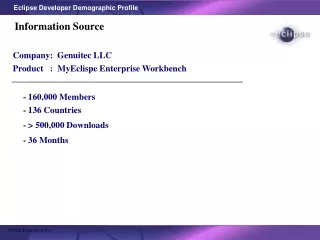
Eclipse Info • What is Eclipse? • Download from www.eclipse.org • Brief History • Currently migrating from CPL to EPL
The Workbench • Perspectives • Perspectives usually organized around tasks. • Perspectives contain • Editors • Views • Editors are associated with file types • Main purpose of views is to support editors and provide alternate navigation
Project Creation • Project • Project naturesindicate personality (e.g. Java, HTML, etc.) • Projects contain resources (files and directories) • Project types Simple, Java, PDE, many others. • Each project maps to one directory • Importing - file system, source repository. • Working Sets
Java Development Toolkit • Package Explorer • Label decorations • Project Preferences • Common views • Outline View • Outline popup. • Tasks, Bookmarks and Fast Views • Searching code
Eclipse Preferences • Java -> Code Style, suffix List, code format • Java->Editor->Templates • Java->BuildPath • Export and Import preferences
JDT II • Navigation • between editor window ( tabs) • Last edit location ctrl-Q • Reordering View and Editor Tabs • Code Complete, Templates • Code Assist - CTRL-Space • Method Parameter hints - CTRL-Shift-Space • Quick Fix • Surrounding code in a block • Organize imports
JDT - Popup Menu • Declaration • References • Source • format, • getters/setters • block commands • Refactoring • rename, move, change method signature
Run/Debug • Applications, Applets, and JUnit tests • Run parameters, Run Dialog • Debugging Perspective • Run Code Snippets in Scrapbook
Eclipse and Ant • Ant View - sensitive to ant syntax • Ant Support - create and run ant files • Run->External Tools • Execute ant targets from the outline view • Ant output is displayed in the console view.
CVS/SVN Repository Exploring • CVS and Subversion plug-ins available • Repository browsing • Project creation, branching and version control • Compare branches, look at history • Tagging
Team Synchronizing • Update • Repository -> your local copy • Commit • your changes -> Repository • Automatic merge, prompt for manual help • Difference view. • Overrides
Plug-ins • Except for the Platform Core, all Eclipse functionality is implemented as plug-ins • Plug-ins catalog • eclipse-plugins.2y.net/eclipse/plugins.jsp • Installation • Drag-N-Drop • Help->Software Updates…->Find and Install. • Some plug-ins are very version sensitive.
Tomcat Plug-in Demo • Setup - tell the plug-in where tomcat is installed. • Stop and Start tomcat from w/in eclipse. • Create and debug a simple jsp page. • Create and debug a simple servelet • http://www.sysdeo.com/eclipse/tomcatPlugin.html
Hibernate/DB Plug-in demo • Demonstrate ORM in eclipse • Demo Database Plug-in • Edit xml files with XMLBuddy. • Using Ant from Eclipse
Some Eclipse Sub-Projects • Test and Performance Tools Platform • Frameworks for tool vendors • Web Tools Platform • J2EE friendly editors & wizards • Business Intelligence and Reporting Tools (BIRT) • Web or PDF based reports.
My Favorites Eclipse Shortcuts • Ctrl-shift-o… fixes up imports • Ctrl - space … invokes code completion & code templates • Pop-up menu for references, declarations, and refactoring. • Outline view • Quick Fix ctrl-1
Questions • www.eclipse.org • http://eclipse-plugins.2y.net/eclipse/plugins.jsp • Rss - http://eclipse-plugins.2y.net/eclipse/rss_info.jsp • http://www.eclipseplugincentral.com/Web_Links+main.html
![Better Java EE Productivity for Eclipse Users [HOL9824]](https://tcdn.slideserve.com/1_1504247.jpg)