Download
1 / 16
160 likes | 272 Vues
Scheduling is crucial in project management, enabling efficient use of time and resources. It involves planning the project's timeline, accounting for constraints like contractual requirements and activity dependencies. Understand the importance of contingency time to accommodate unforeseen delays and ensure that all activities are completed within budget and on schedule. Utilize tools like Microsoft Project and Gantt charts for visual planning and critical path analysis, identifying essential tasks that impact project deadlines. Effective scheduling minimizes stress, preventing rush jobs and enhancing overall project execution.

E N D
Scheduling • Is the planning of the time you have available • In this case, the duration of the project or proposed project • Schedules allow us to: • Understand the constraints on time • Plan to make the most of time • Allow for contingency time • Minimise ‘rush-jobs’ and stress
Constraints on Time • Contractual requirements: European Commission gives us 12, 24 or 36 months to carry out activities • All ‘payable’ activities must be carried out within this time, or we lose the remainder of the budget • Activity dependencies
Allow for contingency time • Better to ‘overestimate’ than ‘underestimate’ time needed • Contingency time needed for when a problem arises • Example: if we have a delay from the side of the Commission (common!) • Ensures timely completion of project
The Workplan • Done in the proposal drafting stage • Basic activity plan by month and by number of days for each activity • Activities are set out in chronological order, not priority order • Subject to change once the project begins
Project Calendar • Apart from activities, we also have to establish a full calendar of events • Including: • Reports • Audits • Evaluations • Relations to activities
Project Calendar • Microsoft Project is a useful software tool • Allows us to visually plot activities on a timeline, and then make relationships between them • Useful for establishing priorities within the project activities • Example: SAFIRO Calendar
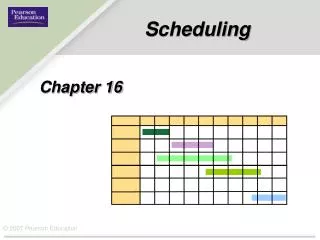
Critical Path Analysis • Tool for establishing the ‘path’ we need to have developed on time for completing the project on time • Also aids resource planning • Helps to identify those activities which may be delayed and the project still will be completed on time • Essential concept: some activities cannot start until others have been completed • Use workplan and Gantt Chart as a basis
Adjusting the Critical Path • If an activity is on the critical path, then it is essential for keeping the project on track • Those off the critical path, can be changed, modified, and delayed to some extent • Decide to what extent this can be done
Other Sheduling Tools • Diary keeping • Contact with the consortium • Online project diary – website forum • Reminder emails
Graphical Representations • The use of graphs makes our project proposals stronger: • Easier for evaluator to understand • Useful for us to make us more efficient • PERT; GANT; PROJECT; etc