Download
1 / 27
270 likes | 376 Vues
This meeting focuses on the Learning Through Innovation project, aiming to establish a supportive environment for educators. Participants will explore effective uses of ICT to enhance teaching methods and engage learners through music and interactive tools. The session encourages sharing knowledge and building a learning community. Attendees will discuss their understanding of accelerated learning, share ideas with peers, and outline the aims and outcomes of the project while emphasizing the importance of quality standards in education.

E N D
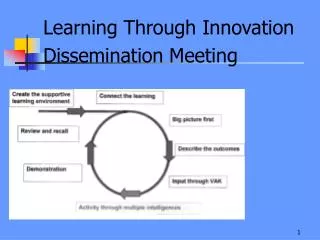
Learning Through Innovation Dissemination Meeting
ALC1 Supportive Learning Environment Use of music Establishing roles Establishing quality standards Interactive signs and notices
ALC2 Bell WorkConnecting Learning • Write down • 3 things you know about accelerated learning • 2 things you already do • 1 thing you would like to know more about Purpose: To link session to previous learning/knowledge
Share your ideas with the person/people next to you • Add to your own if appropriate
ALC3 Big Picture
National Agenda • Focus on learning and teaching • Transformational use of ICT • Support innovation • Consultation under way • ICT as an overarching theme • ICT is raising standards
ALC3 Outcomes of the Session • Clear idea of the aims of the Learning Through Innovation Project • Overview of the training • Inform colleagues provision of support to schools
ALC3 Aims of the Project • Develop effective use of ICT across the curriculum • Broaden the range of teaching and learning approaches • Teachers to be effective and efficient users of ICT • Create a learning community • Disseminate through web site, newsletters and conference
Overview from Project Brief LEA will • Provide equipment • Run a 5 day training • Support progress meetings • Disseminate • Schools will • Plan to disseminate the training across all staff • Share practice • Work in supportive partnerships
ALC4 1. Creating the Learning Environment • Learning environments • Approaches • Learning mats • Thumb tool • Using music • Brain gym
Group Challenge • Establishing groups • Using group roles • PowerPoint presentations • Evaluating against quality standards Group PowerPoint
2. Using Accelerated Learning as a Planning Tool • Accelerated learning • Learning in the multiple intelligence classroom • Using music • Timing activities, • Introducing topics, • Transition between activities • Creating atmosphere • Engaging learners • Planning using the AC cycle Art Gallery
Use VAK to Introduce New Learning Visual Plenary
3. VAK not ICT • Working with technologies • Using ICT • to engage all learners • introduce new learning • Sound and animation • Creating animations • Reviewing learning
4a Concept Mapping • Using visual tools • Mind maps, for example, double bubble • Make thinking visible • Highlight links • Organise thinking
4b Using Digital Video • Newsroom simulation • Recording/editing sounds • Using digital video clips • Editing video • Combining with sound files and images
5 Action Planning in Groups • Review individually through a concept map • Review as a school • Form partnership groups • Create an action plan
Resources • Interactive whiteboard and data projector • Laptop with software • Digital camera
Software • Inspiration for concept mapping • Animation Shop to create animations • Audacity to record and edit sound
Initial Impact • Progress meetings • Teachers working with technologies • Training being planned • Different foci • Joint INSET being planned • Dissemination being planned
Consultants Follow Up • Adjusting training to model ALC • Adjust presentations for impact • Use in demonstration lessons • Training in equipment use
Dissemination • Web site and newsletters • Inclusion in training
Activity • Produce a mind map to summarise your understanding of the project • Links to other projects • Personal contributions • Any follow up
Demonstrate Your Learning • Share your mind map with another group / whole group
Review and Recall • Clear idea of the aims of the Learning Through Innovation Project • Provide an overview of the training • Inform colleagues provision of support to schools Identify follow up actions