Download
1 / 20
200 likes | 307 Vues
This document details the preparatory lectures and field trip to Copenhagen in March 2013, designed to equip students with essential knowledge and promote collaborative learning via group project wikis. The trip aims to enhance student understanding of key themes pertinent to their studies while fostering reflection and collaboration. Emphasizing the benefits of the WebLearn Virtual Learning Environment (VLE), the document highlights the importance of scalable design for accessibility across devices and effective information sharing pre- and post-trip.

E N D
WebLearn User Group | Michaelmas Term 2013 WebLearn and fieldtrips
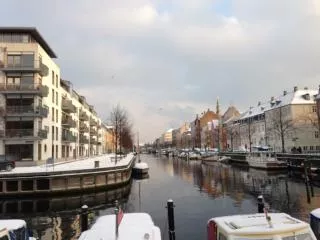
project fieldtrip Copenhagen (March 2013) preparatory lectures and trip (six days) three aims: to enable preparation prior to the trip to promote reflection on the themes and activities and to allow collaboration via group project wikis
why WebLearn? familiarity students accustomed to using VLE connected to the course administration membership / permissions potential for collaboration wiki component
design: scalable multiple devices many screen-sizes (desktops through to smartphones) experience and ease of use straightforward Options (top of particular page) > Automatically resize (tick box)
design: wikis group work challenging, especially given college system wikis as a way of preparing and sharing material research can be planned in advance, e.g. draft questions
design: embedding maps practical questions matter where are we staying? where can we eat? embedding maps Google one option among many https://support.google.com/maps/answer/72644?hl=en (latest version of maps does not offer code to embed)
post-trip pre-empt questions about the field notebook notes from talk during trip FAQ drawn from discussion draw attention to this placement (Site Info > Page Order) *asterisk* highlighted text (?)
iterations / developments site counter Site Info > Edit Tools > Site Stats track use of site images lower-image size option to do this automatically (?) easy to update hyperlink checker (?)
questions? thomas.jellis@ouce.ox.ac.uk