Understanding While Loops and Conditional Statements in MATLAB Programming
This resource provides a comprehensive guide to utilizing while loops and conditional statements in MATLAB programming. It covers the general syntax for while loops with examples, illustrating how to iterate until a condition is met. The section on conditional statements explains the if-else structure, including the use of break to terminate loops. Additionally, it clarifies the use of matrix comparisons and key functions such as max, min, sum, and sort. This resource is ideal for beginners seeking to enhance their MATLAB skills through practical examples.

Understanding While Loops and Conditional Statements in MATLAB Programming
E N D
Presentation Transcript
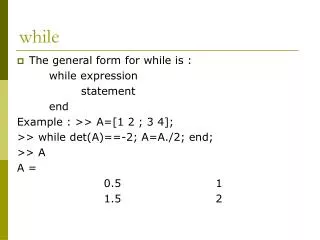
while • The general form for while is : while expression statement end Example : >> A=[1 2 ; 3 4]; >> while det(A)==-2; A=A./2; end; >> A A = 0.5 1 1.5 2
Question. Find the largest natural number n such that 5n ≤ 55. Answer. >> n=0; m=55; >> while 5*n<m n=n+1; end >> n n= 11
Example : >> S=[1 2]; k=9; >> while max(S)==2; k=k+1, end; As you see, because the expression is always satisfied, this cause a repeating process. To stop the process, use CTRL + C Next, we will learn to break the process, if a condition is satisfied.
if and break The general form for if is : • if relation statements end or • if relation statements elseif relation statements else statements end
Note : After all statements put comma (,) or semicolon (;) Examples : >> r=6; >> if r==6; k=12+r, end; k= 18 >> if k>18 s=2*k, elseif k<18 s=k+1, else s=1, end s= 1
BREAK >> S= [ 1 1 2]; n=5; >>while max(S)==2; n=n+1, if n==10, break , end, end; n = 6 n = 7 n = 8 n = 9 n = 10
TRY THIS For a given two matrices A and B, the expression A is not equal to B must be written as follows. >> A= [1 2 ; 3 4 ]; B= [ 1 4 ; 2 5]; >> if A~=B k=4, elseif any(any(A~=B)) k=7, else k=3, end k= 7 As it seen, even if an entry of matrices are equal, Matlab assumes these two are not exactly different. Or for inequality of two matrices, write the command as follows >> if A==B k=3, else k=7, end k= 7
Vector functions max(A) and min (A) : If A is a vector (row or column), these commands gives the maximum or minimum entries. If A is a mxn matrix (m≥2), then the command gives the row where maximum or minimum value is entered. >> A=[1 2; 3 4]; >>max(A) ans= 3 4 >>max(max(A)) ans= 4
sum : gives the sum of entries of a column prod : gives the product of entries >>A=[ 1 2 ; 3 4] >> prod(A) A= 1 2 ans= 3 4 3 8 >> sum (A) >> D=prod(prod(A)) ans= D= 4 6 24 >> sum(sum(A)) ans= 10
median, mean, std, sort • median : For vectors, median(A) is the median value of the elements in A.For matrices, median(A) is a row vector containing the medianvalue of each column. • mean : mean value • std : standard deviation • sort : sorts the elements in column of A in ascending order Example : >> H=[ 1 3 ; 3 2; 2 5]; >> sort(H) • ans= 1 2 2 3 3 5
any, all • any : True if any element of a vector is a nonzero number or islogical 1 (TRUE). ANY ignores entries that are NaN (Not a Number). • all : True if all elements of a vector are nonzero. • Example :>> F=[ 0 1 2 ; 0 0 3 ; 0 1 4] F = 0 1 2 0 0 3 0 1 4 >>any(F) ans= 0 1 1 >>all(F) ans= 0 0 1