Optimize Document Scanning with Transmille Software for PDF and Instrument Linking
Transmille Software enhances document scanning processes by seamlessly integrating PDF scans with specific instruments or certificates. The FUJI ScanSnap is recommended for this application, allowing users to configure settings in ProCalTrack, directing scans to a designated path (C:ScanTemp). The software features 'Link' and 'Add Scan' buttons for automatic transferring of the latest PDFs to a shared folder or specific instrument document folder, ensuring efficient organization and access. Users can easily modify filenames before final copies, making document management straightforward.


Optimize Document Scanning with Transmille Software for PDF and Instrument Linking
E N D
Presentation Transcript
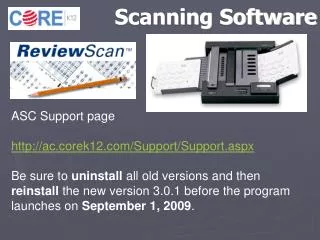
Document ScanningUsing Transmille Software Transmille software supports PDF scanning and automatic linking of data with a specific instrument / certificate A typical PDF scanner for this application is the FUJI ScanSnap
Document ScanningUsing Transmille Software PROCAL Enter the PDF scan path into the settings within ProCalTrack : PROCALTRACK Setup the PDF scanner to store the PDF document to the C:\ScanTemp folder.
Document ScanningUsing Transmille Software The ‘Link’ buttons automatically copy the LATEST PDF file from the default ‘C:\ScanTemp’ folder to the shared document folder (as set in program options)
Document ScanningUsing Transmille Software The ‘Add Scan’ button automatically copies the LATEST PDF file from the default ‘C:\ScanTemp’ folder to a specific file & folder named using the Instrument ID Number, Manufacturer and model number. The filename can be modified prior to copying to the server
Document ScanningUsing Transmille Software Once a PDF order scan is linked to the instrument the button changes to display a PDF logo. VIEW DEDICATED INSTRUMENT DOCUMENT FOLDER Use the ‘Add Scan’ button to add as many documents to the instrument document folder as required. ADD + Once a PDF certificate scan is linked to the instrument the button changes to display a PDF logo.