How to Convert Decimal Numbers to Binary
Learn how to convert decimal numbers to binary using various methods. This guide provides step-by-step examples for converting the numbers 37 and 259 into binary format. The first method illustrates how to use subtraction with powers of two, while the second method involves dividing the decimal number by 2 and recording remainders. Both methods ensure accurate conversion and understanding of binary representation, including padding with leading zeros to fit 8-bit storage.

How to Convert Decimal Numbers to Binary
E N D
Presentation Transcript
Convert 37 to Binary • 128 64 32 16 8 4 2 1 • 128 doesn’t fit into 37 b7=0 • 64 doesn’t fit into 37 b6=0 • 32 fits into 37 b5=1 • Subtract: 37 – 32 = 5 • Continue the process with 5 • 16 doesn’t fit into 5 b4=0 • 8 doesn’t fit into 5 b3=0 • 4 does fit into 5 b2=1 • Subtract: 5 - 4 = 1 • Continue the process with 1 • 2 doesn’t fit into 1 b1=0 • 1 fits into 1 b0=1 • 00100101
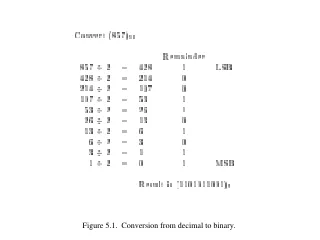
Convert 37 to Binary - Second Method • Divide by 2 and store the remainder • 37/2=18 b0=1 • 18/2 =9 b1=0 • 9/2=4 b2=1 • 4/2=2 b3=0 • 2/2=1 b4=0 • 1/2=0 b5=1 • Write remainders from bottom up and pad with leading 0’s to fill all 8 bits • 00100101
Convert 259 to binary • 259/2 = 129 b0=1 • 129/2 = 64 b1=1 • 64/2 = 32 b2=0 • 32/2=16 b3=0 • 16/2=8 b4=0 • 8/2=4 b5=0 • 4/2=2 b6=0 • 2/2 =1 b7=0 • 1/2 = 0 b8=1 • 00000001 00000011 • 2 bytes are needed to store this number