
Wireless Network Configuration Guide for 3GPP RAN
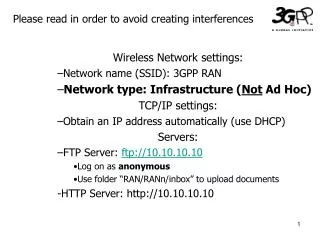
This guide provides essential settings for configuring a 3GPP RAN wireless network. Ensure your network is set to Infrastructure mode rather than Ad-Hoc. For TCP/IP settings, select "Obtain an IP address automatically" using DHCP. Access FTP server at ftp://10.10.10.10 as an anonymous user, uploading documents to the folder “RAN/RANn/inbox”. Additionally, the HTTP server is available at http://10.10.10.10 for further resources. Follow the instructions carefully to avoid interferences during setup.

Wireless Network Configuration Guide for 3GPP RAN
E N D
Presentation Transcript
Please read in order to avoid creating interferences • Wireless Network settings: • Network name (SSID): 3GPP RAN • Network type: Infrastructure (Not Ad Hoc) • TCP/IP settings: • Obtain an IP address automatically (use DHCP) • Servers: • FTP Server: ftp://10.10.10.10 • Log on as anonymous • Use folder “RAN/RANn/inbox” to upload documents • -HTTP Server: http://10.10.10.10