Analyzing Gender Split in KS4 GCSE Results via Venn Analysis Tool (2008 Data)
This guide outlines the steps to conduct a Venn analysis using national data for KS4 GCSE results with a gender split from 2008. It provides comparative statistics of pupils achieving A*-C grades across genders and subjects. The process involves locating and using the Venn analysis tool, analyzing the results, and interpreting the data to derive insights. This analysis can help identify performance disparities between different groups of students, enhancing understanding of academic outcomes based on gender.

Analyzing Gender Split in KS4 GCSE Results via Venn Analysis Tool (2008 Data)
E N D
Presentation Transcript
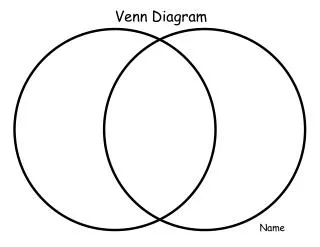
National data with gender split 2008 5+ A* - C All 64.4 B 60.0 G 68.8 2008 No of pupils, end KS4 with eligible GCSE results – as % cohort 4.0 4.3 3.6 7.6 5.0 10.3 4.5 6.4 2.5 48.3 44.3 52.4 3.3 2.3 4.4 0.7 0.7 0.6 2.6 3.8 1.4 %A*-C Ma All 56.1 B 55.2 G 56.9 %A*-C En All 59.8 B 52.3 G 67.7
School A analysis with gender split 2008 5+ A* -C All 42.3 B 29.2 G 55.4 2008 - No of pupils at the end of KS4 with eligible results – shown as % of cohort 4.1 4.3 3.9 8.5 4.2 12.8 3.2 4.0 2.4 26.5 16.7 36.3 11.8 7.1 16.5 1.4 1.4 1.4 5.0 6.7 3.2 %A*-C Ma All 36.1 B 28.8 G 43.3 %A*-C En All 48.0 B 29.0 G 67.0
Finding the Venn Analysis Tool • Search on NS online (or Google) for ‘Venn analysis tool’. • Open the ZIP file and click on Venn.exe. • The file will automatically load to your ‘c’ drive top level. • Help files are included. Or • Find it with all related CPD support as part of ‘SMS Element 6’ on the National Standards area of the Standards Site. • Go to www.standards.dcsf.gov.uk/nationalstrategies and search on ‘SMS’. • Upload as above.