Housekeeping
Today marks the release of Milestone 1, which includes essential aspects of Java GUI development, especially focusing on Multiple Document Interfaces (MDI) and layout management using GridBagLayout. Start early to meet upcoming deadlines: Homework 1 is assigned, Lab 1 is due soon, and Lab 2 focuses on MDI components. Key discussions will cover JFrames and JInternalFrames, demonstrating practical applications through examples like the Craps game. Be ready for detailed discussions on class modeling and case studies in the following week!

Housekeeping
E N D
Presentation Transcript
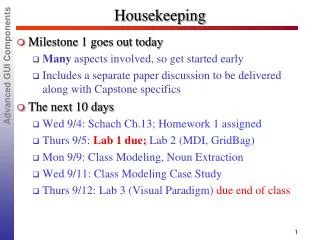
Housekeeping • Milestone 1 goes out today • Many aspects involved, so get started early • Includes a separate paper discussion to be delivered along with Capstone specifics • The next 10 days • Wed 9/4: Schach Ch.13; Homework 1 assigned • Thurs 9/5: Lab 1 due; Lab 2 (MDI, GridBag) • Mon 9/9: Class Modeling, Noun Extraction • Wed 9/11: Class Modeling Case Study • Thurs 9/12: Lab 3 (Visual Paradigm) due end of class
Adv. GUI Components (Deitel Chapter 25) Java Supports Multiple Document Interfaces (MDIs) with Parent and Child Windows: • JDesktopPane - Manages Child Windows • JInternalFrame - A Child Window • Displayed Within the Parent Window via JDesktopPane • JFrame - A Dynamically Created Independent Window • JFrames can be Moved Around Entire Screen • We will focus on JFrames
From Initially Running App (MDIGridBag.java): 220: public void actionPerformed(ActionEvent e){ … if (e.getActionCommand() == "Play Craps"){ playCrapsWindow(); } } 232: public void playCrapsWindow(){ MDICrapsmyCraps = newMDICraps(this); } Note: • Calling MDICraps(this) creates a new instance of Craps • Craps will Create (and Run in) its own JFrame • "this" provides MDICraps Constructor with Reference to object instance that Created the MDICraps instance
MDICraps Instance Runs in Independent Window 52: public MDICraps(MDIGridBag creatorLink) {//MDICraps.java creator = creatorLink; JFrame frame =new JFrame("Craps Game"); Container c = frame.getContentPane(); ... 113: frame.setSize(400,200); frame.show(); // frame MUST show itself Note: • Craps Constructor Creates an new JFrame in which to Run • creatorLink is Reference to Caller (Creator) of MDICraps
MDICraps Instance actionPerformed method 119: public void actionPerformed( ActionEvent e ){ … if(e.getSource()== sendToCreatorButton){ creator.AddToCrapsTotal(bankRoll); bankRoll = 0; bankRollText.setText (Integer.toString(bankRoll)); } } Note: • Via its constructor, Craps instance has a "creator" reference to the application that dynamically allocated the Craps instance. • Reference allows Craps instance to invoke methods of the creating application.
Columns 0 1 2 0 Rows 1 2 3 4 *Focus: GridBagLayout GUI • GridBagLayout: most Flexible GUI Layout Manager • Allows GUI Components to Span Multiple Rows and Columns • Components can be added in any Order • First Step: Determine Desired Appearance of GUI • GridBagConstraints Specifies How each Component is Placed in the GUI
In Application using a GridBagLayout GUI: public void init() { //similar to line 122 of MDIGridBag JFrame frame = new JFrame(“MDIGridBag”); container = frame.getContentPane(); gbLayout = new GridBagLayout(); container.setLayout( gbLayout ); // instantiate gridbag constraints gbConstraints = new GridBagConstraints(); • Note: A GridBagConstraints object Specifies how a Component is Placed in a GridBagLayout Container: • gridx, gridy: Column,Row in which Component will be placed • gridwidth, gridheight: #columns, rows Component Occupies • weightx,weighty: extra space allocated horizontally, vertically
Using GridBag Constraints (note: not code from sample) JTextArea textArea = new JTextArea("Initial text"); // define GUI component constraints gbConstraints.gridx = 0; //column gbConstraints.gridy = 5; // row gbConstraints.gridheight = 2;// spans 2 rows gbConstraints.weightx = 0; //no horiz growth on own gbConstraints.weighty = 1; // rel wt of vert growth gbConstraints.fill=GridBagConstraints.BOTH; //if area too big gbConstraints.gridwidth=GridBagConstraints.REMAINDER; addComponent( new JScrollPane(textArea) ); //scroll bars ... private void addComponent( Component c ) { gbLayout.setConstraints( c, gbConstraints ); container.add( c ); } // add component
Aside: Reading From Files 245: private String getDataFromFile(){ //MDIGridBag String readInText = null; try { //assoc file with file handle infile = new FileInputStream("data.dat"); // assoc file handle with I/O stream BufferedReader dataFile = new BufferedReader(new InputStreamReader(infile)); readInText = dataFile.readLine(); dataFile.close(); } catch (FileNotFoundException e){ System.out.println("File Not Found" + infile); } catch (IOException e){ System.out.println("IOException"); } return readInText; }
ICE:Comm Between GUI Content Panes • Alter the source code as necessary so that the MDIGridBag instance has a button that causes the current “Sum of Craps Totals…” value to be sent to a particular instance of MDICraps.