Creating Engaging Presentations
Join Pat James-Hanz on October 28, 2010, for an insightful audio seminar focused on crafting engaging presentations. This session will provide tips on maximizing your presentation impact, utilizing CCC Confer tools, and effectively interacting during the session through chat and polling. Learn how to adjust audio settings, manage file saving, and navigate captioning features seamlessly. Don't forget to participate in the evaluation survey at the end to help us improve future seminars. For more information on upcoming events, visit the @ONE website. ###

Creating Engaging Presentations
E N D
Presentation Transcript
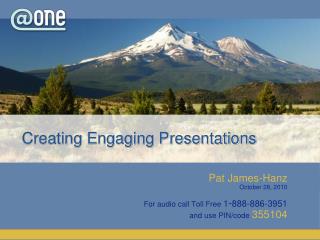
Creating Engaging Presentations Pat James-Hanz October 28, 2010 For audio call Toll Free 1-888-886-3951 and use PIN/code 355104
Housekeeping • Maximize your CCC Confer window. • Phone audio will be in presenter-only mode. • Ask questions and make comments using the chat window.
Adjusting Audio • If you’re listening on your computer, adjust your volume using the speaker slider. • If you’re listening over the phone, click on phone headset. Do not listen on both computer and phone.
Saving Files & Open/close Captions • Save chat window with floppy disc icon • Open/close captioning window with CC icon
Emoticons and Polling • Raise hand and Emoticons • Polling options
Pat James-Hanz Creating Engaging Presentations
Evaluation Survey Link Help us improve our seminars by filing out a short online evaluation survey at: http://www.surveymonkey.com/s/effPresentations
Thanks for attending For upcoming events and links to recently archived seminars, check the @ONE Web site at: http://onefortraining.org/ Creating Engaging Presentations