Download
1 / 11
110 likes | 241 Vues
This project focuses on developing a robotic system that allows users to control a robot's actions through hand gestures. Utilizing the Robot Operating System (ROS) and advanced sensors, the system translates user gestures into commands for picking up objects. The project includes three sub-projects: Directional Pointer, Body Part Pointer, and Gesture Control, which enhance interaction with the robotic arm and improve user accessibility. Future enhancements involve integrating voice recognition for seamless operation, supporting disabled individuals in interacting with their environment.

E N D
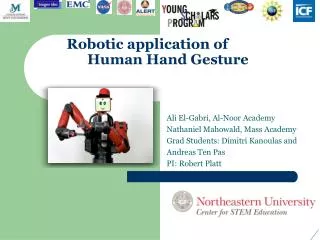
Robotic application of Human Hand Gesture S Ali El-Gabri, Al-Noor Academy Nathaniel Mahowald, Mass Academy Grad Students: DimitriKanoulas and Andreas Ten Pas PI: Robert Platt
Introduction • The fundamental point of this project is: • Making gestures that make the robot pick up objects • Pointing at the object the user wants the Robot to pick up. • How? • Creating interfaces between the computer and the sensor • Creating interfaces between the sensor and Robot.
Materials • The materials used were: • ROS Hydro Medusa • Robot Operating System • Provides several helpful tools • Hydro Medusa 7th Version • Xtion Pro • Like a Kinnect • Makes gesture tracking precise • Baxter • Robot – two hand manipulator
Methods • Install ROS Hydro Medusa • Install openni_launch • Camera driver • Install openni_tracker • Creates a skeleton for any person in front of it • Set up a catkin workspace • Write python code to communicate
Sub-project 1: Directional Pointer • Work with Rviz • ROS Visualization; visualizes camera feed • Set up the Transforms (TF) in Rviz • Keeps track of 3D frames’ change over time • Operates in a distributed system • Created a TF listener in python • Receives coordinate frames • Query for specific TFs between frames • Functional code • Informs user of the direction arm is in the xyz plane
Sub-project 2: Body Part Pointer • Have two users on screen • Point with left hand • Display body part being pointed at for either user • Display which user is pointing at which • How this helps: • More work with Rviz • Rviz already recognized human bodies • Experimented with Dot Product, Matrices, and creation of Vectors • First step to pointing at other things
Sub-project 3: Gesture Control • Method of gesture based control without fixed frame • This is the first place where we fixed our user buildup problem • Went through a few drafts of what positions worked • First project we worked with on the robot
Final Project: Any Frame Pointer • We couldn’t get a “true” pointer without creating a fixed frame; our solution was calibration • Extremely accurate • Uses left hand as a signal that user is pointing • Potential extensions
Next Steps • Use voice recognition software to interact with the user • Create a pointer that does not require calibration and uses frame to run • Compile all the code onto a usable device, so that a disabled person could use a robotic arm to pick up objects they need
Acknowledgements • A special thanks to our very helpful Grad students, DimitriKanoulas and Andreas Ten Pas. • A very warm appreciation to Robert Platt, our ever wise PI. • And, of course, to those who made it possible and walked us every step of the way: • Duggan Claire, Program Director • Kassi Stein, Program Coordinator • Chi-Yin Tse, Program Coordinator