
Texture Mapping in OpenGL Pipline
E N D
Presentation Transcript
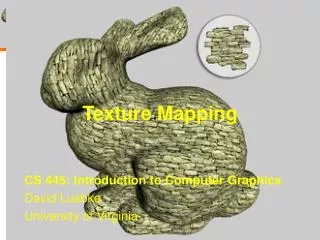
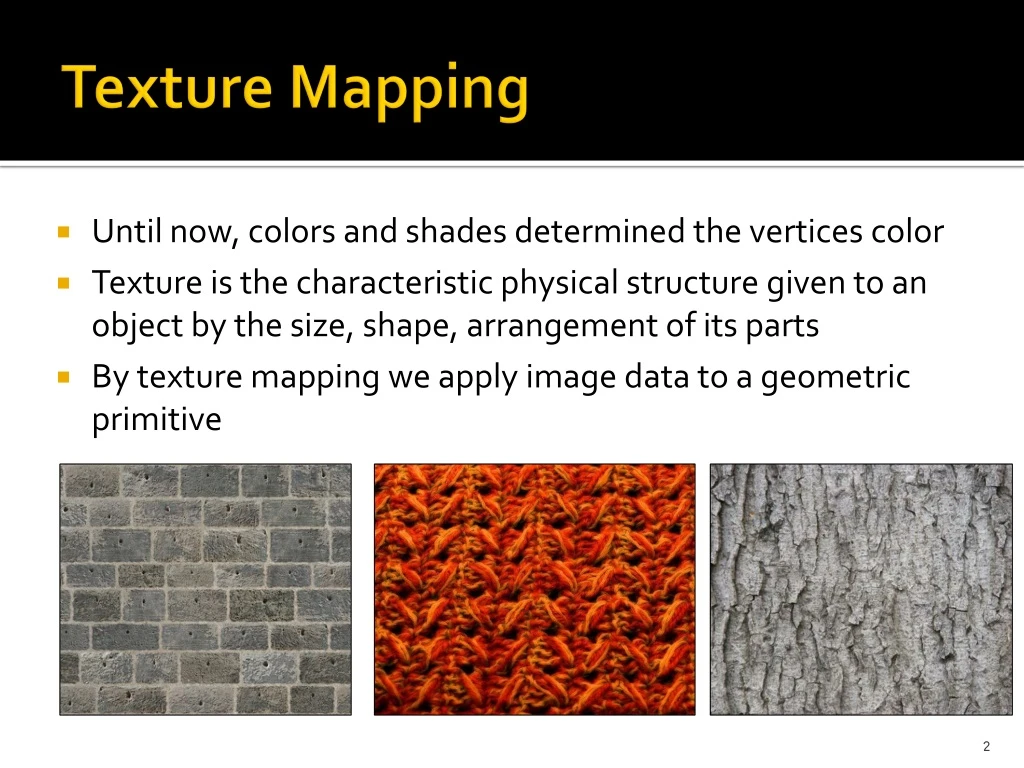
Texture Mapping • Until now, colors and shades determined the vertices color • Texture is the characteristic physical structure given to an object by the size, shape, arrangement of its parts • By texture mapping we apply image data to a geometric primitive
Basic strategy Three steps to apply a texture 1. Specify the texture • read or generate image • assign to texture • enable texturing 2. Specify texture parameters • wrapping, filtering 3. Assign texture coordinates to vertices • Proper mapping function is left to application
OpenGL pipline • Images and geometry flow through separate pipelines that join at the rasterizer - “complex” textures do not affect geometric complexity
Specifying a Texture Image • Define a texture image from an array of texels (texture elements) in CPU memory Glubytemy_texels[512][512][3]; • Enable texture mapping • glEnable(GL_TEXTURE_2D) • OpenGL supports 1-3 dimensional texture maps
Create Texture Objects • Define a handle to different available texture states (image and params) glGenTextures(1, &texture[texture_num]) • First argument tells OpenGL how many texture objects we would create • Second argument is a pointer to the place where OpenGL will store the names (unsigned integers) of the texture objects • Texture[ ] is of type GLuint
Binding to a texture object • To specify the text object that we are going to define its specifics glBindTexture(GL_TEXTURE_2D, texture[texture_num])
Define image as texture glTexImage2D( target, level, internalFormat, w, h, border, format, type, texels ) target: type of texture, e.g. GL_TEXTURE_2D level: used for mipmapping (discussed later) internalFormat: elements per texel w, h: width and height of texture image border: used for smoothing (discussed later) format and type: describe texels texels: pointer to texel array glTexImage2D(GL_TEXTURE_2D, 0, GL_RGB, 512, 512, 0, GL_RGB, GL_UNSIGNED_BYTE, my_texels);
Converting a texture image • OpenGL requires texture dimensions to be powers of 2 • If dimensions of image are not powers of 2 • gluScaleImage(format, w_in, h_in,type_in, *data_in, w_out, h_out,type_out, *data_out); • data_inis source image • data_outis for destination image • Image interpolated and filtered during scaling
Mapping a texture • Once a texture is uploaded to the graphics card, its resolution has no importance • Texture is mapped to “texture coordinates” between 0.0 to 1.0 (s,t) • glTexCoord*()specified at each vertex Object Space Texture Space t 1, 1 (s, t) = (0.2, 0.8) 0, 1 A a c (0.4, 0.2) b B C (0.8, 0.4) s 0, 0 1, 0
Texture parameters • OpenGL a variety of parameter that determine how texture is applied • Wrapping parameters determine what happens if s and t are outside the (0,1) range • Filter modes allow us to use area averaging instead of point samples • Mipmappingallows us to use textures at multiple resolutions • Environment parameters determine how texture mapping interacts with shading
Wrapping mode glTexParameteri( GL_TEXTURE_2D, GL_TEXTURE_WRAP_S, GL_CLAMP ) glTexParameteri( GL_TEXTURE_2D, GL_TEXTURE_WRAP_T, GL_REPEAT )
Filter Modes Modes determined by • glTexParameteri( target, type, mode ) glTexParameteri(GL_TEXTURE_2D, GL_TEXURE_MAG_FILTER, GL_NEAREST); glTexParameteri(GL_TEXTURE_2D, GL_TEXURE_MIN_FILTER, GL_LINEAR);
Texture Polygon Texture Polygon Magnification Minification Magnification and Minification A group of texels can cover a pixel (minification) or One texel can cover a group of pixels (magnification) Can use point sampling (nearest texel) or linear filtering ( 2 x 2 filter) to obtain texture values
Mipmapped textures • Texturing far/close objects • Mipmapping allows for pre-filtered texture maps of decreasing resolutions • Lessens interpolation errors for smaller textured objects • Declare mipmap level during texture definition glTexImage2D( GL_TEXTURE_*D, level,… ) • GLU mipmap builder routines will build all the textures from a given image gluBuild*DMipmaps( … )
N/4*N/4 N/2*N/2 N*N Mipmapping What about memory ?
Texture functions • Controls how texture is applied glTexEnv{fi}(GL_TEXTURE_ENV,GL_TEXTURE_ENV_MODE, param) • GL_TEXTURE_ENV_MODEmodes • GL_MODULATE: modulates with computed shade • GL_BLEND: blends with an environmental color • GL_REPLACE: use only texture color • GL_DECAL: alpha value is considered
Typical Code void init(void) { glClearColor (0.0, 0.0, 0.0, 0.0); glShadeModel(GL_FLAT); glEnable(GL_DEPTH_TEST); makeCheckImages(); glGenTextures(2, texName); glBindTexture(GL_TEXTURE_2D, texName[0]); glTexParameteri(GL_TEXTURE_2D, GL_TEXTURE_WRAP_S, GL_CLAMP); glTexParameteri(GL_TEXTURE_2D, GL_TEXTURE_WRAP_T, GL_CLAMP); glTexParameteri(GL_TEXTURE_2D, GL_TEXTURE_MAG_FILTER,GL_NEAREST); glTexParameteri(GL_TEXTURE_2D, GL_TEXTURE_MIN_FILTER,GL_NEAREST); glTexImage2D(GL_TEXTURE_2D, 0, GL_RGBA, checkImageWidth, checkImageHeight, 0, GL_RGBA, GL_UNSIGNED_BYTE, checkImage);
Typical Code – (cont’d) glBindTexture(GL_TEXTURE_2D, texName[1]); glTexParameteri(GL_TEXTURE_2D, GL_TEXTURE_WRAP_S, GL_CLAMP); glTexParameteri(GL_TEXTURE_2D, GL_TEXTURE_WRAP_T, GL_CLAMP); glTexParameteri(GL_TEXTURE_2D, GL_TEXTURE_MAG_FILTER,GL_NEAREST); glTexParameteri(GL_TEXTURE_2D, GL_TEXTURE_MIN_FILTER,GL_NEAREST); glTexEnvf(GL_TEXTURE_ENV, GL_TEXTURE_ENV_MODE, GL_DECAL); glTexImage2D(GL_TEXTURE_2D, 0, GL_RGBA, checkImageWidth, checkImageHeight, 0, GL_RGBA, GL_UNSIGNED_BYTE, otherImage); glEnable(GL_TEXTURE_2D); }
Typical Code – (cont’d) void display(void) { glClear(GL_COLOR_BUFFER_BIT | GL_DEPTH_BUFFER_BIT); glBindTexture(GL_TEXTURE_2D, texName[0]); glBegin(GL_QUADS); glTexCoord2f(0.0, 0.0); glVertex3f(-2.0, -1.0, 0.0); glTexCoord2f(0.0, 1.0); glVertex3f(-2.0, 1.0, 0.0); glTexCoord2f(1.0, 1.0); glVertex3f(0.0, 1.0, 0.0); glTexCoord2f(1.0, 0.0); glVertex3f(0.0, -1.0, 0.0); glEnd(); glBindTexture(GL_TEXTURE_2D, texName[1]); glBegin(GL_QUADS); glTexCoord2f(0.0, 0.0); glVertex3f(1.0, -1.0, 0.0); glTexCoord2f(0.0, 1.0); glVertex3f(1.0, 1.0, 0.0); glTexCoord2f(1.0, 1.0); glVertex3f(2.41421, 1.0, -1.41421); glTexCoord2f(1.0, 0.0); glVertex3f(2.41421, -1.0, -1.41421); glEnd(); glFlush(); }
OFF files • OFF files are standard format to represent 3D model • Starts with number of points, then number of polygons ( usually triangles ) • List of points • List of polygons – <# points of polygon>< index of points> • Easy to write OFF file reader and draw these models.