Easy Access to Animation Resources and Customization Options
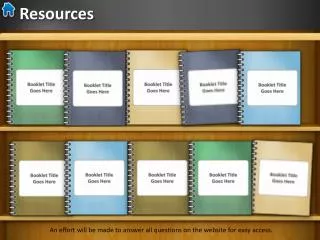
This guide provides insights on how to efficiently manage and customize your animation resources. Efforts will be made to answer all questions on our website for easy access to information. You can change book cover colors or fill textures using straightforward steps. Each booklet is created, saved as a PNG, and imported into your animation. For quick updates, simply right-click on any booklet on Slide 1 and select "Change Picture." This guide will help streamline your animation process effectively.

Easy Access to Animation Resources and Customization Options
E N D
Presentation Transcript
Resources Resources An effort will be made to answer all questions on the website for easy access.
Use the format > Picture Color options to change the book cover or Format > Fill to fill with a different texture. I created each booklet, saved it as a PNG and then brought it into the animation on Slide 1. You can just right-click on a booklet on Slide 1 and choose change picture to update the bookshelf. Booklet TitleGoes Here