Efficient Document Sharing for Students: Choosing the Right App
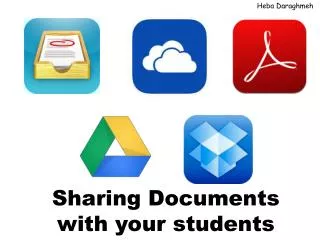
Enhance your teaching experience by utilizing top document-sharing apps like Showbie, Google Drive, Dropbox, Adobe Reader, and SkyDrive. Each app offers unique features such as class creation, assignment management, cloud storage, and offline access for students. Learn how to easily share feedback and organize student documents while considering the pros and cons of each platform. Discover the best fit for you and your students to streamline communication and collaboration in the classroom.

Efficient Document Sharing for Students: Choosing the Right App
E N D
Presentation Transcript
HebaDaraghmeh Sharing Documents with your students
Showbie • Download the App for Teacher and Student • Choose your role (Teacher or Student) • Create Classes • Provide your students with the class code • Create Assignments • Ask your students to drop their files in • Feedback can be shared (PDF) • Pros & Cons
Google Drive • Download the App for both Teacher and Students • Both should have Google Account • Teacher’s Account should be provided for students • Folders can be created • Content is saved on the cloud. However; Students can have their documents offline • Pros & Cons
Drop Box • Download the App for both teacher and students • Content is saved on the cloud • Links can be shared in different ways e.g. email, Text Message, Facebook, Tweet, etc… • Pros & Cons
Adobe Reader • Reads everything • Edits PDFs • Create folders • Arrange students documents • Pros & Cons
SkyDrive • Download the App for both teacher and students • Create Folders • Links can be shared • Pros & Cons