Download
1 / 12
120 likes | 258 Vues
Explore the D0 Event Display and Shifter Tutorial, a detailed resource designed for the D0 experiment at Fermilab. This guide covers essential features such as menu navigation, keystroke commands, insights into calorimeter data, muon systems, and event processing controls. Users can gain proficiency in utilizing the display software effectively, including dynamic viewing options like 2D and 3D perspectives. Find future enhancements, related documents, and support contacts for further assistance. Perfect for shifters and researchers in particle physics.

E N D
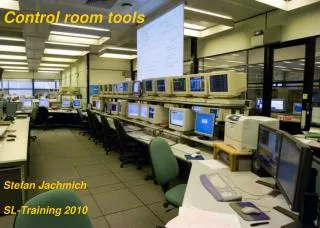
d0ve in the Control Room Nobu Oshima Shifter Tutorial/D0 Event Display
Package Dependencies Experimental d0reco p13.02.00 d0ve_x d0ve_lite Shifter Tutorial/D0 Event Display
What are you watching? • Muon System • PDT, MDT, Scintillator Hits and Segments • Calorimeter • EM and HAD Energy(Et) • CFT, SMT and Tracks • Axial fibers(in X-Y and 3D) for CFT • Barrel & Disk Hits for SMT • Global plus Elastic tracks • Trigger Names • Dump L3Chunk by L3TriggerSelector Shifter Tutorial/D0 Event Display
Fragments of CFT Axial fibers 3D Views Cal Had Cells PDT Hits Scinti Hits Shifter Tutorial/D0 Event Display Cal EM Cells
Calorimeter Lego Plot EM Trigger List HAD Missing ET Shifter Tutorial/D0 Event Display
2D Views Muon segment in MDTA, B and C layer(X-Y only) CFT SMT Muon segment in PDTA, B and C layer Shifter Tutorial/D0 Event Display
D0ve_smt_detailby S.Dean &G.Hesketh Shifter Tutorial/D0 Event Display
Start/Stop Procedures on d0ol32 • At /home/d0evd/p1302/, % d0setwa • % cd d0ve_alldis/bin • % d0ve_x –daq OR • % d0ve_x –daq_lego for Calorimeter LegoPlot. • To pause: type “space” key. • To resume: type “Enter” key. • To stop: type “Q” key on the 3D Window. Shifter Tutorial/D0 Event Display
Menus and Keystroke Commands • Menus • File [Open reco file…] nice for offline events scanning. PS print Exit • EventLoop controls events processing • Display controls drawing parameters • DZERO/ CAL-MUON-CFT-SMT controls above subsystems’ geometry/data • Help • Keystroke Commands • PgUp(m), PgDn(s) : zoom in, out • I , o : move in, out( Perspective ) • ,(<) and .(>) : rotate left and right respectively(10 degrees Step) • X , y , z : select axis to use for rotation by < , > keys • Arrows : move left, right, Up, down • Home(r) : reset to default viewing • U : refresh view • 1 , 2 , 3 and 4 : X-Y, Z-Y, Z-X and 3D views respectively( the 3D Window only ) • 0 : (zero), toggle single/quad view Shifter Tutorial/D0 Event Display
Near Future Plans • Adapt to multiple screens • Provide magnified 2D views for live-event display • Finish/Add FPD display Suggestions Send an e-mail to T.Burnett(tburnett@u.washington.edu) or me (oshima@fnal.gov) . Thank you. Shifter Tutorial/D0 Event Display
Related Documents and Link • D0ve Users Guide • http://www-d0.fnal.gov/computing/graphics/d0veall/d0vealldoc.html • D0ve Developers Guide • http://www-d0.fnal.gov/d0dist/dist/packages/d0ve/devel/doc/ • D0Live • http://www-d0online.fnal.gov/www/shift/event_pix.html Shifter Tutorial/D0 Event Display
Who else is watching? Shifter Tutorial/D0 Event Display