FDRViEWS Collector: User Interface & Data Collection Tool
Efficiently collect and view data with the FDRViEWS Collector software. Easily install, configure, and schedule data collections for analysis. Access detailed reports and manage data trends effectively.

FDRViEWS Collector: User Interface & Data Collection Tool
E N D
Presentation Transcript
SMSandVolumeinfo MCDS+BCDS VTOCVTOCIX CATALOGS VSAMVVDS PDSPDSE SQLDatabase
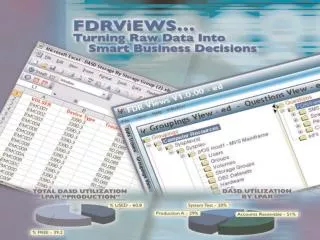
FDRViEWS • FDRViEWS Collector • User interface for collecting data • FDRViEWSClient • -User interface to the data • FDRViEWS Report Distribution • Browser application for viewing reports
FDRViEWS Collector • PC/Server Install • MSI, very easy. • SQL Server Installation • Install Database Definitions • Load Database Data • After Install, start the Collector
FDRViEWS Collector • PC/Server Install • Some Configuration is needed • Database login and z/OS login
FDRViEWS Collector • PC/Server Install • Some Configuration is needed • Database login and z/OS login
Click here to run a Collection immediately
Schedule Collections Optional exclude data from collection
Scheduled for every Saturday 06:00 Schedule Collections
GROUPINGSPANE QUESTIONSPANE COLLECTIONSELECTIONPANE Built-in User defined
FDRViEWS Volume X-REFSMS to Volume Select the SMS group on the left to see the volumes in that group
FDRViEWS Volume X-REFSSID to Volume Select the SSID cell on the left to see the volumes in that sub-system
“Show Groupings” button allows you to see the fixed sections of a Collection: Users, Groups, SMS Groups, Volumes, Device-Types and Frames by Image
RACF Userid Special Attribute Moving cursor over column description will pop up a long description of that field
FDRViEWS Example Views F D R V I E W S
Expand Expand all Add Delete Delete sub-folders Copy Copy sub-folders Copy with sub-folders Paste Rename Properties TSO
Selecting volumes starting with EU Show Grouping(s)
DatasetFree Space > 80% Select volumes starting with EU* Exclude Data sets with HLQ XTRGRP
Limiting this grouping to only select volumes starting with EU Limiting this grouping to exclude Data Sets starting with XTRGRP
Double-click to modify percentage value & operator DatasetFree Space > 80% EU volumes are selected XTRGRP data sets are excluded Click here
Click for report of your choice “Or” click on the tabs for report of your choice
Grouped By % Free Range Click to go to the data that created this chart Click to go todescription
Use all volumes in sysplex – PLEX1 Select “SMS Volumes With Disabled VTOC Indexes”
FDRViEWS SMS physical status indicator. Valid indicators are: INITIAL – Volume has been initialized for SMS MANAGED – Volume is currently SMS managed NONE – Volume has no SMS status The VTOC index status indicator. Valid indicators are: ACTIVE – VTOC index is present and currently active NONE – Volume does not contain a VTOC index YES – VTOC index is present but is not currently active Unit Address (2 byte) The volume serial number
Select question Volumes selectedstarting with IDP Click here
FDRViEWSWorkbook / Report Description Click for report of your choice
FDRViEWSDatasets On SMS Volumes That Are Not SMS ManagedSorted by data set name
Volume Usage Selecting volumes starting with IDP* Click here
FDRViEWS F D R V i E W S • Volume Usage • IDP* volumes sorted by volume serial • Sorted by volume Usage
ExpandExpand AllScale Bytes (None)Kilo (1000)MegaGigaKibi (1024)MebiGibi Click here
FDRViEWSSECURITY SYSTEM AUDITINGUsers with SPECIAL attribute
List all RACF Groups Click here