Geologic Mapping Techniques at Mount Toby Using GPS
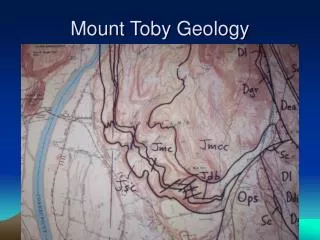
This guide details the process of geologic mapping at Mount Toby, emphasizing GPS utilization for accurate waypoint creation. Begin by marking your initial location with the GOTO button and identifying the rock type present. At various rock outcrops, take thorough notes on rock type, as well as the distance and bearing to your waypoint. Utilize different colors to distinguish rock units—darker shades denote observations, while lighter shades are reserved for interpretations. Ultimately, complete your map by outlining boundaries between distinct rock units for a clearer geological representation.

Geologic Mapping Techniques at Mount Toby Using GPS
E N D
Presentation Transcript
Geologic Mapping with GPS • At first location create a Waypoint and mark it with the GOTO button. Identify rock type. • At other rock outcrops, record in notes the rock type, distance and bearing to Waypoint. • Different color for different rock units. Dark shades for observations, light shade for interpretation. • Map will be completed by drawing in the boundaries between different rock units.