Download
1 / 47
470 likes | 589 Vues
Word identification is vital for reading proficiency and consists of two components: automated and mediated word identification. Automated word identification, or automaticity, allows students to read words with minimal effort, enhancing overall fluency and comprehension. The informal reading inventory assesses both types. For effective assessment, utilize PowerPoint slides for quick flashing of words and structured scoring. Students should engage with incorrect words thoughtfully for mediated identification, promoting deeper understanding. Gradually increase difficulty to ensure adequate mastery and encourage reading success.

E N D
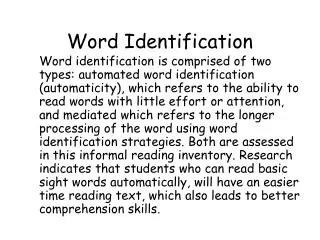
Word Identification Word identification is comprised of two types: automated word identification (automaticity), which refers to the ability to read words with little effort or attention, and mediated which refers to the longer processing of the word using word identification strategies. Both are assessed in this informal reading inventory. Research indicates that students who can read basic sight words automatically, will have an easier time reading text, which also leads to better comprehension skills.
Automatic Word Identification • You will need the PowerPoint cd and the teacher recording forms for the word list. • It is suggested that you start with the AA (Pre-Primer) word list even for more advanced students so that the student understands the task. • From the first black slide, double-click the mouse quickly (each word will be flashed for less than 1/3 of a second). • Circle each correct word and score 1 point for each word read correctly.
Mediated Word Identification • Go back to the words that were not read correctly (uncircled) in the flash mode. • Allow student 3-5 seconds to look at each word. • Mark correct words and score ½ point for each word read with this extra time for analysis.
Total All Points If a student earns 17 points total (out of possible 20), go on to the next level. Proceed with lists of increasing difficulty until the student scores less than 16 correct (less than 80%).
Word Identification • Automatic Word Identification • Assessed using words on the PowerPoint cd from Jerry Johns’ graded word lists • Go to the first black screen and double click as quickly as possible • Words will be flashed for less than 1/3 second • Score 1 point for each word read correctly
Mediated Word Identification • Go back to the words that were not read correctly in the flash mode • Allow student 3-5 seconds to look at each word • Score ½ point for each word read with analysis • 17 point total(out of possible 20) to go on to next level
Grade Levels • AA=preprimer • A=primer • 7141=grade 1 • 8224=grade 2 • 3183=grade 3 • 5414=grade 4 • 8595=grade 5 • 6867=grade 6 • 3717=grade 7 • 8183=grade 8