Captioning Digital Multimedia
Explore the evolution and techniques of captioning, focusing on its vital role in making multimedia accessible. This resource details the history and current state of captions, examines the process of creating them, and discusses future formats and standards. Discover the importance of accuracy in transcription, editing, and timing, as well as the difference between captions and subtitles. The National Center for Accessible Media (NCAM) provides expertise in media accessibility, enabling sensory-impaired individuals to enjoy diverse electronic media.

Captioning Digital Multimedia
E N D
Presentation Transcript
Captioning Digital Multimedia Geoff Freed Carl and Ruth Shapiro Family National Center for Accessible Media (NCAM) WGBH Educational Foundation http://ncam.wgbh.org
What to expect • Part I: Brief history; current state • Part II: How it’s done • editors • style • speed; convenience; quality • Part III: What’s next • formats • standards • recommendations • regulations
About NCAM • Carl and Ruth Shapiro Family National Center for Accessible Media at the WGBH Educational Foundation (NCAM); http://ncam.wgbh.org • Part of the Media Access Group • The Caption Center (1972) • Descriptive Video Service (1990) • NCAM (1991)
About NCAM 4 • R&D facility with the mission to make electronic media of all types accessible to people with sensory impairments • Work funded by federal grants, private foundations and strategic partners large and small • Expertise in on-line accessibility of all kinds (Web, multimedia, PDF, captioning, description, etc.) • Expertise in standards and guidelines (Section 508, WCAG, SMIL, ATSC, SMPTE, TTML, PDF, Flash, e-books/textbooks, image description, etc.)
Part I: General Information
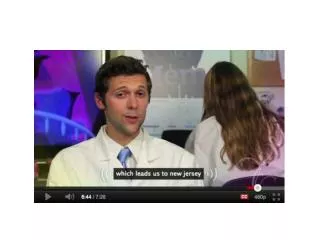
What are captions? • A visual representation of spoken narration or dialogue • Indicate important non-speech information: • sound effects, music, laughter • speaker identification • Synchronized to appear simultaneously with audio • Displayed in either pop-on or roll-up styles • In some countries, captions are called subtitles
What are captions? • Captions and foreign-language subtitles are not the same thing • captions contain information in addition to narration and dialog; subtitles do not • captions are frequently positioned on the screen to indicate who is speaking; subtitles are not
What are captions? • Captions can be closed or open: • closed captions can be turned on and off by the user • open captions are visible to everyone and cannot be turned off • QuickTime Player, iTunes, Apple mobile devices, RealPlayer, Flash, Silverlight and Windows Media Player all provide caption controls • some are custom, some are not • HTML5 introduces browser playback and control
What about transcripts? • A transcript provides a text version of the audio track • a transcript is useful for creating captions • a transcript is a by-product of the captioning process • Transcripts should be considered a supplement to, not a replacement for, synchronized captions
Captions can be displayed by allmajor multimedia players • QuickTime (embedded or external track/QTtext format) translucent overlay transparent overlay below the video region
Captions can be displayed by allmajor multimedia players • QuickTime or iTunes (embedded track/SCC)
Captions can be displayed by allmajor multimedia players • RealPlayer (external track; RealText) transparent overlay below the video region
Captions can be displayed by allmajor multimedia players • Windows Media Player (external track; SAMI)
Captions can be displayed by allmajor multimedia players • Flash (ccPlayer; TTML)
Apple devices/SCC captions iPod nano iPhone/iPod touch/iPad
Captions can be displayed by allmajor multimedia players • Some BlackBerry smartphones
More and more on-line programming is captioned • ABC.com • Hulu.com • Hulu desktop • MTV • NBC.com • Netflix Instant Play • YouTube • others
On-line customization • Some players allow customized views • YouTube (no account required) • Hulu (account required to save preferences)
Part IIa: How It’s Done/General Rules CC University (the abbreviated course)
Authoring captions • The most important aspect of caption writing is not… • software • technical format • delivery • UI
Authoring captions • The most important aspect of caption writing is… accuracy • accurate transcription • accurate spelling • accurate editing • accurate formatting • accurate timing • accurate reviewing • Speed, convenience/quality
Authoring captions Example 1 Example 2
Authoring captions • Most caption-authoring applications follow the same basic procedure • transcribe audio • external transcription/import is usually easier (if permitted) • format and edit the text • divide text into discrete captions • divide rows within captions • edit if/as necessary • time the captions • verbatim vs edited • review; export
Authoring captions: transcription • Accurately represent what is spoken • spelling, spelling, spelling • don’t add information • don’t edit unless there is reason to do so • reading level; special vocabulary • “there’s three things…” vs “going to/gonna” • fillers • don’t censor • indicate different speakers when necessary • indicate sound effects when necessary • Generally speaking, it’s faster to transcribe into a text editor and import the text into the caption editor
Authoring captions: formatting • Make the captions easy to read • use appropriately sized fonts • use fonts that are easy to read • sans serif vs serif • open characteristics • break rows in logical places • break captions in logical places • end punctuation • natural pauses • Formatting is especially important for small-screen readability
Authoring captions: timing • Time the captions to appear when corresponding words are spoken • lead/lag +/- one second if it is appropriate for speed • take advantage of pauses (to an extent) • align with shot changes (+/- one second) for a cleaner appearance • Verbatim timing is expected unless there is a reason to do otherwise • language level/comprehension
Authoring captions: timing Timing example 1 Timing example 2
Authoring captions: reviewing and exporting • Always review carefully • correct/edit/re-time as necessary • if a long video has been captioned by multiple authors, ensure that everyone has followed the same style rules • spelling, timing, editing, presentation conventions • Export to the appropriate target format
Part IIb: How It’s Done/Caption Editors
Various editors • Annotation Edit • CapScribe Open • CPC • DIVX • Gnome Subtitles • Jubler • MAGpie • MovieCaptioner • Subtitle Workshop • vSync format converter • SubPLY, Subtitle Horse (on-line editors; export captions in various formats)
(Cautiously) Using YouTube • YouTube can generate a complete caption file (transcribed and timed) for you (aka auto-caption) • upload video; wait for caption file to be generated • download caption file, clean up and re-upload • edit with a text editor • use a caption editor (required if re-timing is necessary) • demo: not bad but still requires clean-up and correction • You don’t have to do any clean-up, but… • In most cases, you must correct the auto-generated file
Other YouTube options • Upload a plain-text transcript • YouTube will generate a timed script (movie) • download caption file; correct timing; re-upload • Upload your own complete caption file (movie) • in most cases, this is the most accurate option • TTML, SRT formats; others • File-creation guidelines for YouTube caption files
Let others write captions for you • Professional captioning agency, such as the Media Access Group at WGBH • Crowdsourcing • free labor • loss of quality control • YouTube Subtitler • CaptionTube • Universal Subtitles • Overstream • dotSUB
Part III: What’s Next?
New rules • 21st Century Video Communications and Video Accessibility Act • programs that were originally captioned for broadcast must retain captions when distributed over IP • does not govern mobile television • FCC now considering final rules • distribution format for captions/subtitles under consideration (or not)
Formats • Old way • each multimedia player/device used its own text-display format • New way • all players and devices use a single non-proprietary format (e.g., TTML) • The real way… • no single format will be used by all devices • FCC ruling on formats for IP distribution will have big impact • VPAAC working-group recommendation is SMPTE-TT
Formats • Existing open formats • TTML • BBC, Netflix, Flash video, others • TTML community group at the W3C • SMPTE-TT • convert broadcast captions for IP delivery • UltraViolet • Coming soon • WebVTT (WHAT-WG) • WebVTT (W3C) • WebVTT (W3C community group) • Prediction • no agreement on a single contribution format • TTML, SMPTE-TT and WebVTT will be the primary contribution formats
Viewing captions the new way: Web • HTML5 makes it much easier to embed video/audio into Web pages • <video>, <audio>; no plug-ins • <track> to identify and synchronize external caption/subtitle file(s) • currently no agreed-upon baseline format • (no agreed-upon video format, for that matter) • no public <track> support today, but soon • What it might look like
Viewing captions the new way: mobile • Apple, BlackBerry devices • Mobile TV (OTA) • ATSC M/H (A/153) supports CC carriage • some LG and RCA receivers decode captions if available • receivers also available to build into cars/buses • watch television while traveling at speeds up to 120 mph • currently no regulations mandating ATSC M/H captions
Resources List available at http://tinyurl.com/coa9ykk