Download
1 / 13
130 likes | 247 Vues
This guide outlines essential HIPAA compliance methods for acquiring and saving MEG data, focusing on systematic approaches to secure data handling. Each group will receive unique login credentials, and patient data accessibility will be restricted to authorized groups. It details a step-by-step process, including managing user IDs, naming directories, and saving data files appropriately. Compliance responsibilities emphasis the proper retention of consent and authorization forms and the necessity of maintaining records of privacy acknowledgments. Implement these methods to protect sensitive data and ensure adherence to HIPAA regulations.

E N D
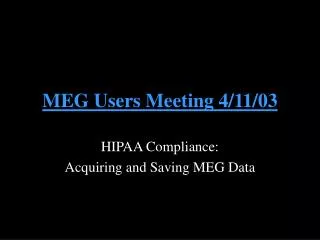
MEG Users Meeting 4/11/03 HIPAA Compliance: Acquiring and Saving MEG Data
HIPAA methods: Step 1 • Each group will now have its own login name and pswd for sinuhe • Group names are created as: acqxxxx • e.g. megclin, meghalg, megmbar, etc • The same group will also be created on the linux side—this group will own your data files
HIPAA methods: Step 2 • Subject Type: • Default is Volunteers, instead select Patients • Registered and MEG data will now be available only to your group
Accessible to group: Change to your lab’s group name, e.g. acqwest HIPAA methods: Step 3
HIPAA methods: Step 4 HIS ID: west001 • HIS ID can be any code of your choosing… • Use unique names • e.g. west001 vs 001 • Directories will now be named as: • /subj_<HIS>/<date>/
HIPAA methods: Step 5 • Data files should be saved with this code as well (rather than initials)
HIPAA methods: Step 6 • In addition to logging out of the Acquisition program, you also need to log off the computer • Simply hit Exit on the task bar at the bottom of any window
PI’s responsibility: To do list http://www.healthcare.partners.org/phsirb/hipaa2do.htm
Approved/ongoing protocols (prior to 4/14) • Subjects enrolled prior to 4/14 • Authorizations not required (unless subject re-consented after 4/14) • Subjects enrolled on or after 4/14 • Subject must sign both a consent form and an authorization form • Must be given a copy of the Privacy Notice, and obtain written acknowledgement of receipt
Authorization form • Downloadable from website • Fulfills specific elements of Privacy Rule without requiring you to rewrite/resubmit existing consent form • Must provide a copy to the Human Research Office to document compliance with the Privacy Rule • Authorization will not be reviewed by the PHRC - you are responsible for the accuracy of the information in the document • Signed Authorization should be kept with signed consent form • Free-standing Authorization should be used until your PHRC-approved consent form includes the authorization language (ie, merge consent with Authorization)
Privacy Notice • Privacy Notice can be downloaded from previously mentioned site, and does not need to be “approved” by Human Research Office • Signed acknowledgement forms must be returned to the Privacy Officer at your institution • Although not required, recommended that you keep a copy of the signed receipt of Privacy Notice for your records