Comprehensive Guide to Desktop Publishing and Document Layout Techniques
10 likes | 135 Vues
This detailed guide walks you through the essential processes of desktop publishing (DTP) including creating and placing graphical objects, text insertion, and layout setup for various pages. It covers research techniques for internet content, image collection, and strategies for effective error checking. Learn to edit and resize images, design logos, and apply text styles while ensuring proper formatting, borders, and colors. Additionally, the guide emphasizes proofreading, obtaining audience feedback, and creating polished final copies, ensuring your publication meets its intended brief.


Comprehensive Guide to Desktop Publishing and Document Layout Techniques
E N D
Presentation Transcript
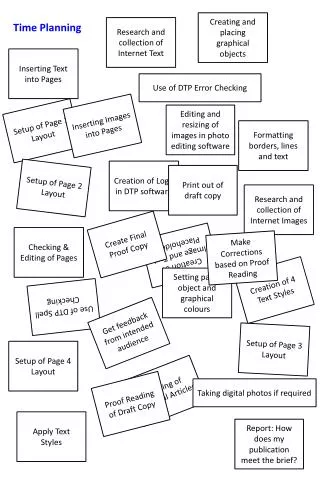
Creating and placing graphical objects Research and collection of Internet Text Time Planning Inserting Text into Pages Use of DTP Error Checking Inserting Images into Pages Editing and resizing of images in photo editing software Setup of Page 1 Layout Formatting borders, lines and text Creation of Logo in DTP software Setup of Page 2 Layout Print out of draft copy Research and collection of Internet Images Create Final Proof Copy Checking & Editing of Pages Creation of Image and Text Placeholders Make Corrections based on Proof Reading Creation of 4 Text Styles Setting page, object and graphical colours Use of DTP Spell Checking Get feedback from intended audience Setup of Page 3 Layout Setup of Page 4 Layout Writing of Original Articles Taking digital photos if required Proof Reading of Draft Copy Apply Text Styles Report: How does my publication meet the brief?