Introduction to My Big Campus: A Beginner's Guide to the Learning Management System
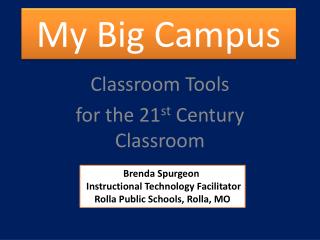
My Big Campus (MBC) is a collaborative learning management system designed for a safe and integrated educational experience. This guide outlines how to navigate the platform, including logging in with your MCCSC username and password, exploring the Activity Page, and utilizing the Digital File Cabinet (Drive) for managing schoolwork and documents. Learn about organizing your files, publishing documents for others to use, and creating labels for easier searching. Get support and access to resources through the MBC Library and Groups features.

Introduction to My Big Campus: A Beginner's Guide to the Learning Management System
E N D
Presentation Transcript
My Big Campus For Beginners
What is My Big Campus? Learning Management System • Collaborative • Shared • Safe – integrated, managed, monitored • Supported – Bob Campus • Login – normal MCCSC username and password, search and select school
Activity Page “Home Page”
Activity Page REQUESTS QUICKLINKS SETTINGS SIDEBAR
Notifications Make sure all the boxes are UNCHECKED (empty).
Drive “Digital File Cabinet”
Drive Use Drive to store your MBC documents, schoolwork, bundles, and uploaded files. To access Drive, click its icon in the left navigation bar. More Help
Drive - Folder 1. 2. 3. More Help
Drive – File Options Assign the item to a group or individual students. Publish document for others to see/use. Add a label to find item quickly in a search. Edit title, description and standards. Labels: Create a label to add to “your labels” and “apply” it to an item for easier searching.
BREAK 10 MINUTES
More Help Library 2. 3. 4. 5. 1.
Library 3. 1. 2. 4.
More Help Groups Search for groups you created or belong to. 2. 3. 1.
Groups Group Image Description of group. Name of Group