Create a PowerPoint Presentation: All About Me
In this lesson, you will create a PowerPoint presentation entitled "All About Me." Include various categories such as your name, interests (sports, music, favorite classes), family, and hobbies. Enhance your slides using different font styles, pictures, animations, and sounds to make your presentation engaging. For inspiration, view the example titled "All About Me!" by Jody, which shares insights about family, pets, and personal interests. Get creative and have fun showcasing who you are!

Create a PowerPoint Presentation: All About Me
E N D
Presentation Transcript
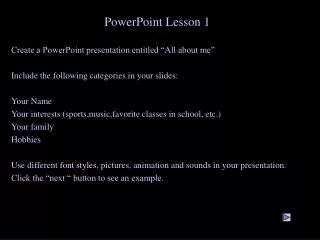
PowerPoint Lesson 1 Create a PowerPoint presentation entitled “All about me” Include the following categories in your slides: Your Name Your interests (sports,music,favorite classes in school, etc.) Your family Hobbies Use different font styles, pictures, animation and sounds in your presentation. Click the “next “ button to see an example.
All about Me! By Jody
My Family I like to spend time with my Two Grandkids And my Great-Nephew Jordan! Previous Next
At home I have a crazy dog named Kirby, a Jack Russell Terrier with wayyyy too much energy!
I Like….. Computers Sports Movies Previous Next
Good Luck! Back to LMC