Understanding Sockets and Client-Server Communication in Java
100 likes | 225 Vues
This document explores the fundamental concepts of sockets in the context of client-server architecture using Java. It presents a practical application of sockets with the Oracle of Bacon project at UVA, leveraging the IMDB database to construct a queryable graph. It details socket connections, two-way communication protocols, and architectural considerations concerning multi-platform and multi-OS functionality. Additionally, it addresses critical programming issues such as threading, synchronization, data management, and error handling, providing a comprehensive overview for developers seeking to enhance their understanding of socket programming.


Understanding Sockets and Client-Server Communication in Java
E N D
Presentation Transcript
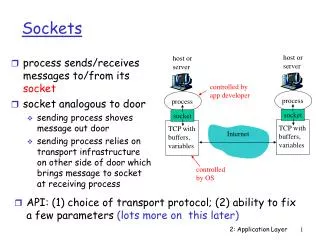
Sockets: lower-level view via Oracle • Oracle here is the Oracle of Bacon, hosted at UVA • Uses IMDB to develop database • Constructs graph from database, uses graph for queries • Server responds to several kinds of queries, all done via a lower-level socket-based protocol • What are sockets in this and other network contexts? • Two-way pipe between programs, slightly different for client and server • Server accepts client connections, establishes the socket • Socket provides input/output streams • Bytes go in both directions, protocol needed to exchange information
All actors N-steps from named actor • What is server protocol, what code do you need to see? • Any obvious refactorings that would help and hurt? int fd = sock_connect(SERVER, PORT); if (fd == -1) return -1; wfp = fdopen(fd, "w"); rfp = fdopen(fd, "r"); putc(CMD_BY_NUMBER, wfp); putstring(argv[1], wfp); putint(atoi(argv[2]), wfp); putc(USE_MOVIES, wfp); fflush(wfp); while ((res = fgetc(rfp)) == RSP_LINK_ENT) { char *s = getstring(rfp); puts(s); free(s); }
Oracle.java: sockets in Java mySocket = new Socket(host, port); myInput = new DataInputStream(mySocket.getInputStream()); myOutput = new DataOutputStream(mySocket.getOutputStream()); try{ myOutput.writeByte(BYNUMBER); // protocal driven write(actor); // write a string writeInt(steps); // distance away myOutput.writeByte(USE_MOVIES); // protocol driven myOutput.flush(); } catch (IOException e) {…} • What should we see in this client program to understand it?
multi-platform, multi-os client/server • Architectural issues impact client/server code • Little-endian/Big-endian issues • 0xabcd is a 32-bit value, which is MSB? How is this stored? • How big is an int? 32-bits, 64 bits, … • Other issues • Towards raising the level of discussion • Worrying about integer byte order is not fun and it can be frustrating • Let’s worry about sending objects back-and-forth, not bytes • How does an object on one machine communicate with another object on a different machine
Writing objects: towards COM/Corba/... • The Java stream hierarchy is a rich source of options • Object streams, Data streams, Buffered Readers, … • Often these convert between bytes and characters • What’s the story with Unicode? (e.g. compared to ASCII) • FileStream, BufferedReader, …, • We can read and write objects over sockets • Advantages compared to lower-level protocols? • Disadvantages? • Issues in understanding and implementing • Where do objects “live”, are classes different? • Subclass/Superclass issues • What about connection issues (where, how, knowledge)
Clients and Servers • Server socket exists on some machine, listens to a “port” • A port isn’t a physical concept, it’s an OS concept • The OS manages ports, some services listen at predetermined ports, e.g., mail at port 25 • User programs use ports above 1024 • Server gets a connection and handles the request, but what about other connection requests? • Can’t be too busy processing request, or will miss other attempts at connections • Spin off handler as a separate program/process • See EchoServer.java and Client.java as examples • What does client do?
From controller to threads • Threads are lightweight processes (what’s a process?) • Threads are part of a single program, share state of the program (memory, resources, etc.) • Several threads can run “at the same time” • What does this mean? • Every Swing/AWT program has at least two threads • AWT/event thread • Main program thread • Coordinating threads is complicated • Deadlock, starvation/fairness • Monitors for lock/single thread access
Concurrent Programming • Typically must have method for ensuring atomic access to objects • If different threads can read and write the same object then there is potential for problems • If an object is read-only, there are no issues in concurrent programming • String is immutable in Java, other classes can have instance variables be defined as final, cannot change (like const) • In Java, the keyword synchronized is the locking mechanism used to ensure atomicity • Uses per-object monitor (C.A.R. Hoare), processes wait to get the monitor, it’s re-entrant
Using synchronized methods • Methods can be synchronized, an object can be the argument of a synchronized block, a class cannot be synchronized • Every object has a lock, entering a synchronized method of the object, or using the object in a synchronized block, blocks other threads from using synchronized methods of the object (since the object is locked) • If a synchronized method calls another synchronized method on the same object, the lock is maintained (even recursively) • Another thread can execute any unsynchronized method of an object O, even if O’s lock is held • A thread blocks if it tries to execute a synchronized method of an object O if O’s lock is held by a different thread
Thread classes in Java • Classes can extend java.lang.Thread or implement java.lang.Runnable, (note: Thread implements Runnable) • A thread’s run method is executed when the thread is started • Typically the run method is “infinite” • Executes until some final/done state is reached • The run method must call sleep(..) or yield(); if not the thread is selfish and once running may never stop • A runnable object is run by constructing a Thread object from the runnable and starting the thread • Threads have priorities and groups • Higher priority threads execute first • Thread groups can be a useful organizational tool