SlideServe
Menu
Préférences
© SlideServe · v2026

PIC and LCD

grady avatar
9 diapositives · 350 Views · Jan 24, 2013
PIC and LCD - slide 1
01 / 9PIC and LCD
1 / 17

Télécharger la présentation

PIC and LCD
Une image / un lien ci-dessous est fourni (tel quel) pour télécharger la présentation

Politique de téléchargement : le contenu du site vous est fourni TEL QUEL pour votre information et votre usage personnel ; il ne peut être vendu, concédé sous licence ni partagé sur d’autres sites sans l’accord de son auteur.Le contenu vous est fourni TEL QUEL, pour votre information et votre usage personnel uniquement. Téléchargez la présentation en cliquant sur ce lien. Lors du téléchargement, si vous ne parvenez pas à télécharger une présentation, l’éditeur a peut-être supprimé le fichier de son serveur.Pendant le téléchargement, si vous ne parvenez pas à obtenir une présentation, le fichier a peut-être été supprimé par l’éditeur.

F I N

Plus de contenu associé

Transcription de la présentation
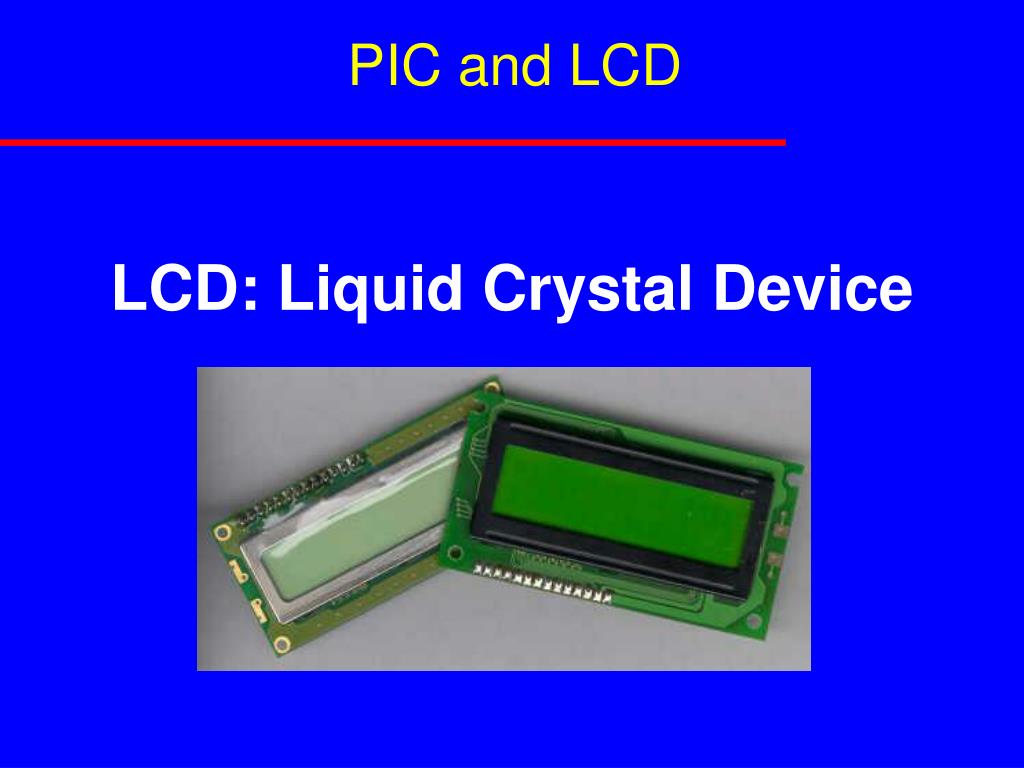
  1. PIC and LCD LCD: Liquid Crystal Device

  2. Registers and memories CGROM Character Generator ROM Consist of the fix implemented character set (ROM).Character set may differ with different ROM Codes.To display a char, the CGROM address of the character to be showed at the current DDRAM address has to be transmitted to the display. CGRAM Character Generator RAMThe user-defined character set.With 5x7 dots, 8 character patterns can be written and with 5x10 dots, 4 types can be written. Also reprogrammable during use.To display a char, the CGRAM address of the character to be showed at the current DDRAM address has to be transmitted to the display. DDRAM Display Data RAMHere is the data stored, which is currently showed on the display (memory mapped I/O). Registers: • Data register (RS=1) data goes to DDRAM • Command register (RS=0) (Program the LCD)

  3. LCD- Pins

  4. PIC- Program • Power ON • Wait 15 ms • Send 0x30 ;or 38 • Wait 6 ms • Send 0x30 • Wait 6 ms • Send 0x30 • Wait 6 ms • Send %b 0011NFxx • Wait 6 ms • Send %b 00001000 • Wait 6 ms • Send %b 00000001 • Wait 6 ms • Send %b 000001 I/D S Program…. Notes: Make function for command Make function for Display Make initialization function Call functions…. Examples

  5. Some related LCD functions Others: movlw 0x80 ; line 1 call LCDins movlw 0xc0 ; line 2 call LCDins To display something: movlw 0x35 (an examp) call lcdout Control movlw 38h ; display initialisation call LCDins ; output to display movlw 38h ; page 45 of the data sheet call LCDins ; output to display movlw 38h ; two line call LCDins ; output to display movlw .6 ; increment display Call LCDins ; output to display movlw 0ch ; display = on, cursor = off call LCDins ; output to display movlw .1 ; clear display call LCDins ; output to display return

  6. Some related LCD functions LCDins movwf PORTB bcf PORTA, lcdRS call Clock bsf PORTA,lcdE call Clock bcf PORTA,lcdE clrf DelayL movlw 8h movwf DelayH ctlp1 decfsz DelayL goto ctlp1 decfsz DelayH goto ctlp1 return Congiguration of pins lcdRS equ 2 ; RA2 = LCD RS pin lcdE equ 3 ; RA3 = LCD E pin CBLOCK 0x20 ; DelayL DelayM DelayH Temp ; ENDC LCDout movwf PORTB bsf PORTA, lcdRS call Clock bsf PORTA, lcdE call Clock bcf PORTA, lcdE call Clock bcf PORTA, lcdRS

  7. Exercises • Write a program which can display “FORTH YEAR “ on the LCD, second line, middle • Write a program which can display the data in the register W, in decimal form.