Download
1 / 17
170 likes | 347 Vues
This document provides a detailed overview of the Concept Design Review (CDR) process, including updates on diagnostic equipment and design considerations. It outlines the campaign details such as types and requirements, key contacts, and the necessary approvals for project milestones. The review emphasizes mechanical performance, target diagnostics, and necessary equipment specifications, as well as assignment responsibilities and potential risks. It is aimed at facilitating effective communication and collaboration throughout the design and review phases of the project.

E N D
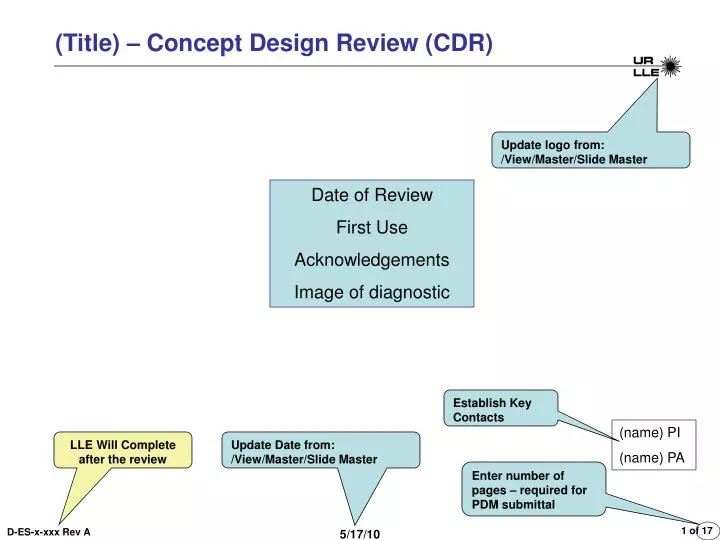
(Title) – Concept Design Review (CDR) Update logo from: /View/Master/Slide Master Date of Review First Use Acknowledgements Image of diagnostic Establish Key Contacts (name) PI (name) PA LLE Will Complete after the review Update Date from: /View/Master/Slide Master Enter number of pages – required for PDM submittal 5/17/10
Overview - Motivation -Summarize Scope-Summarize Motivation Campaign Details:EP or Omega Or Joint Shot?;Campaign Type? Side Lighter/ Back Lighter?What TIM’s or Fixed? 5/17/10
Requirements List RequirementsMechanical - PositioningPerformanceAccuracy 5/17/10
Target Diagnostic Check List (Diagnostics Only) – Disclose Equipment Requirements Double Click and Edit; Items marked “Y” should show up on a slide in the presentation 5/17/10
Design Concepts Approaches Issues Options Trade offs Target Diagnostic Check List Items 5/17/10
P &ID – Tutorial Located on LLE Web Site 240 psi 240 psi 240 psi pump 5/17/10
Bias “T” Details To Scope To 15V Cabling/Connection Overview N-Type 15Vdc Power TDS-694 Cu Foil LaCave Omega Laser Pulse PhotoDiode 527 nm P510 Green Fiducial 5/17/10
Space Claim – Floor Plan Temporary Scopes and PS’s 5/17/10
Viewing/Editing SRA – 1) Click on your project from the project status summary to get to the LLE Project Milestones page 3)Edit page, then Select Save & Print 4)This button allows the SRA to be viewed/printed/saved – Save the SRA 5)Take a screen shot of the SRA and place in presentation 2) Select SRA 5/17/10
SRA 5/17/10
FMEA – Each Entry on SRA requires an Entry on FMEA; additional entries can be made Enter the Line #’s into the SRA Form (Associated Risk) There must be a change in one of these two columns (Before vs After) Double Click & Edit 5/17/10
Viewing EQC 1) Click on your project from the project status summary to get to the LLE Project Milestones page 3) Select “Save & Print Landscape”; Take a screen shot of each page and put in presentation (two slides) 2) Select EQC 5/17/10
EQC 5/17/10
EQC 5/17/10
Issues - Risks 5/17/10
Resources – Who does What - Assignments 5/17/10
Budget (LLE Reviews Only) 5/17/10