How GIO EMS Portal Works: A Comprehensive User Guide for Emergency Mapping Services
Discover the GIO EMS Portal, a specialized platform designed for emergency mapping services. This guide provides an overview of how the portal operates, including service request forms for rush and non-rush scenarios, user feedback forms, and essential documentation. Learn about area of interest definitions, product specifications, and the necessary steps for effective service activation during emergencies. The guide also includes practical exercises, such as scenario analysis and product selection, ensuring users are equipped to respond promptly to emergency situations.

How GIO EMS Portal Works: A Comprehensive User Guide for Emergency Mapping Services
E N D
Presentation Transcript
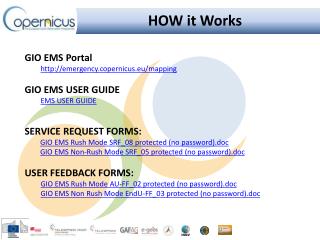
HOW it Works • GIO EMS Portal • http://emergency.copernicus.eu/mapping • GIO EMS USER GUIDE • EMS USER GUIDE • SERVICE REQUEST FORMS: • GIO EMS Rush Mode SRF_08 protected (no password).doc • GIO EMS Non-Rush Mode SRF_05 protected (no password).doc • USER FEEDBACK FORMS: • GIO EMS Rush Mode AU-FF_02 protected (no password).doc • GIO EMS Non Rush Mode EndU-FF_03 protected (no password).doc
Portfolio & Product specification • PRODUCT PORTFOLIO • EMS USER GUIDE\GIO_EMS-Mapping_Product_Portfolio.pdf • PRINTED MAPS • Area Of Interestdefinition • Using Google Earth for AOI definition • BUCHAREST.kml • MapScale definition • Scale_maparea_calc_A1.xls
Scenario Exercise • Flash Flood in Romania, 12th Sept 2013
Module 3: Scenario Exercise Triggering the GIO EMS Service Scenario Analysis and activation Exercise [1 hour 25 mins] All the attendees will be provided with printed copy of: • Disaster Scenario description • Service Request Form • User feedback Form The exercise with the attendees will go through the following steps: • Scenario Analysis – Need identification • AOI selection – Area for Overview and Detailed maps identification • Product selection and technical specification identification • Access to the service – SRF compilation • Service Triggering • User Feed back – UFF compilation